Lingye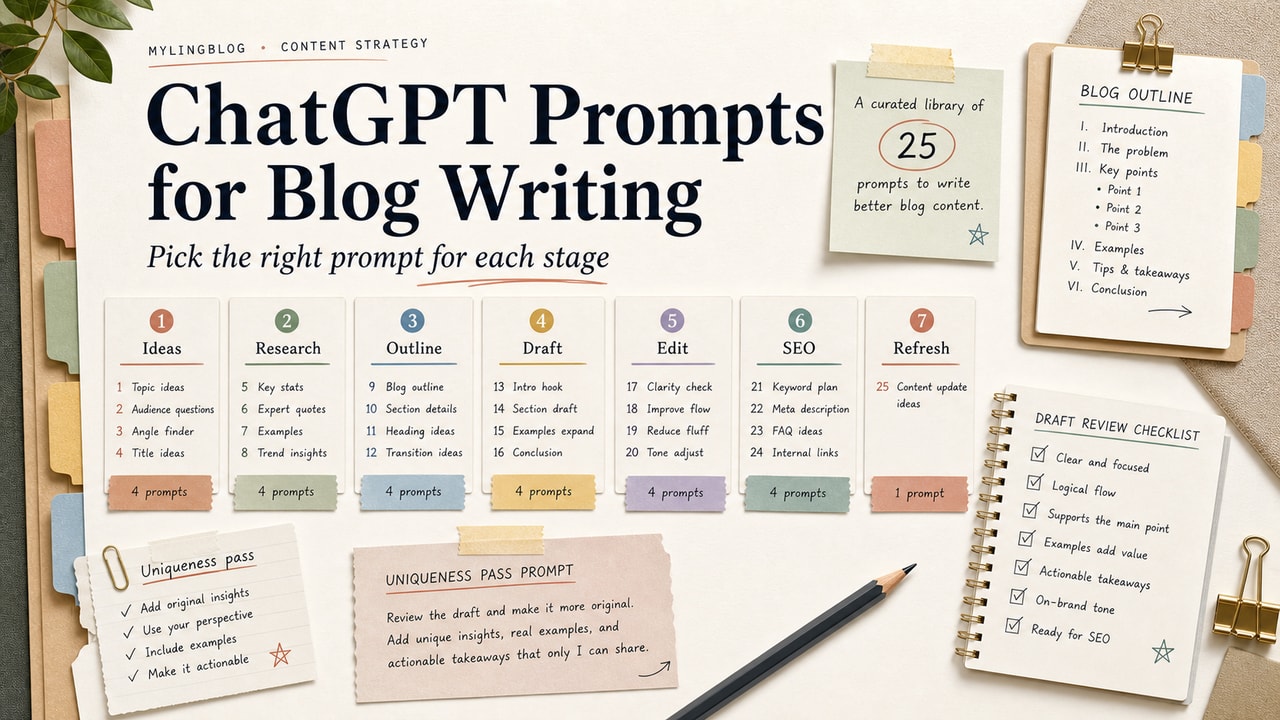
A long prompt library is useful only if you know when to use each prompt. The problem with most ChatGPT prompt lists for blog writing is that they skip the editorial workflow: topic, angle, outline, draft, edit, search review, and final human pass. The 25 prompts below stay small on purpose. Each one does one job, and each output still needs an editor.
Quick Answer
The best ChatGPT prompts for blog writing are short, stage-specific prompts that help with one editorial task at a time: idea selection, outline repair, paragraph drafting, voice editing, SEO checks, FAQ answers, and internal links. Do not ask ChatGPT to write a full post from one broad prompt. A stronger workflow is to bring your own topic, reader, angle, sources, and draft, then use prompts to improve one weak part at a time. The 25 prompts in this guide are organized into five stages so you can pick the right prompt instead of chaining random outputs. Use them as an editorial checklist, not as permission to publish unreviewed AI text. The table also doubles as a keep-change-reject review checklist for each draft.
What This Workflow Is
This is a staged prompt library for blog writing. It does not replace research, source checking, examples, or voice review. It gives you reusable instructions for common editorial jobs: finding an angle, shaping an outline, improving a paragraph, checking search intent, and preparing metadata.
Definition you can quote: ChatGPT prompts for blog writing are targeted instructions that help a writer improve one stage of a post while the writer remains responsible for accuracy, originality, examples, and final publishing judgment.
Who This Workflow Is For
- Best for: bloggers, niche-site owners, solo creators, and small content teams that publish regularly but still edit every post by hand.
- Also useful for: product marketers and freelance writers who need a repeatable drafting and editing checklist.
- Not ideal for: writers who want one prompt to produce a finished article, or teams publishing regulated advice without expert review.
Tools You Need
| Tool | Use it for | Decision note |
|---|---|---|
| ChatGPT | Running the prompt library and revising small sections | Use approved accounts and avoid pasting private data |
| Google Search Console | Real query and page-performance signals | Use site data before guessing reader questions |
| Google helpful content guidance | Reviewing people-first quality rules | Use it as a quality check, not a shortcut |
| Your draft editor | Storing the prompt chain and final edits | Keep accepted and rejected changes visible |
Workflow Summary
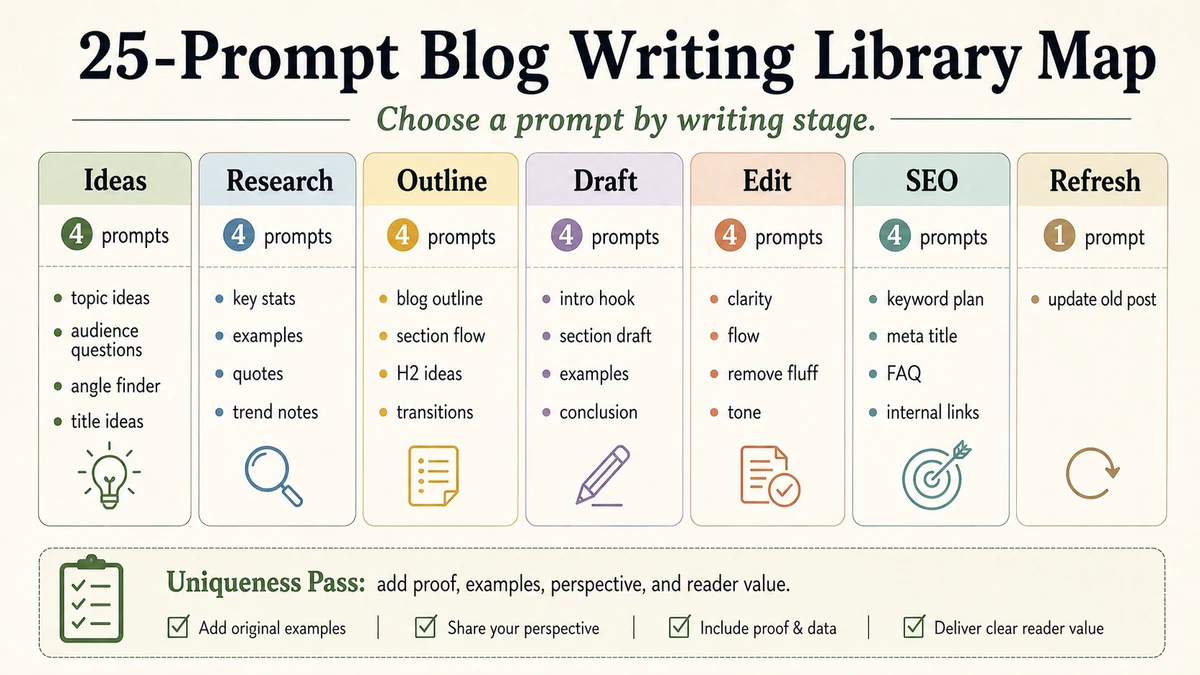
| Stage | Prompts | Human decision |
|---|---|---|
| Ideation | 1-5 | Which angle deserves a post |
| Outlining | 6-10 | Which sections answer real questions |
| Drafting | 11-15 | Which examples are true and useful |
| Editing | 16-20 | Which wording fits your voice |
| SEO | 21-25 | Which metadata, FAQ, and links help readers |
Step-by-Step Workflow
- Start with a brief. Write the topic, primary reader, search intent, angle, source notes, and one thing the article must not claim.
- Pick one stage. Do not run all 25 prompts automatically. Choose the stage that matches the current bottleneck.
- Paste only needed context. A prompt for a paragraph does not need the full article. A prompt for internal links needs titles and URLs.
- Mark accepted and rejected changes. Keep a short note of what the prompt improved and what you refused.
- Check claims before metadata. Search polish is not useful if the article still has unsupported claims.
- Read the final post without AI. The last pass should catch voice drift, repeated points, and examples that sound generic.
Copy-and-Paste Prompt
You are a strict blog editor. I will give you one draft section and one editing goal.

Article topic: [topic]
Primary reader: [reader]
Search intent: [intent]
Section to review: [paste section]
Goal: [choose one: angle, outline, paragraph, voice, SEO, FAQ, links]

Return:
1. The main weakness.
2. A revised version or a checklist, depending on the goal.
3. Any claim that needs a source, hedge, or removal.
4. One sentence explaining what you changed.

Do not write a full article. Do not add facts I did not provide.
Example Input
Topic: AI keyword clustering for small blogs.
Reader: solo blogger with 100 keywords.
Search intent: practical workflow.
Goal: outline repair.
Concern: the current outline explains tools before it explains how to decide cluster boundaries.
Example Output
Main weakness: the outline starts with tools before the reader knows what a useful cluster looks like.
Revision: move the decision rule section before the tool section, add one example cluster, and add a final "merge or split" checklist.
Claim risk: remove any exact time-saving claim unless you have measured it on your own workflow.
Workflow Artifact: 25-Prompt Blog Writing Library
| # | Use when | Prompt starter |
|---|---|---|
| 1 | Topic mining | Give me 10 long-tail post ideas for [niche], each with a reader problem. |
| 2 | Pain points | List 8 questions [reader] asks before solving [problem]. |
| 3 | SERP gap | Given these top-result H2s, what angle is missing? |
| 4 | Point of view | Turn [topic] into 5 angles: framework, comparison, warning, example, checklist. |
| 5 | Intent | Classify the search intent for [keyword] and name the article format that fits. |
| 6 | Outline | Create an H2/H3 outline for [title] that answers [reader problem]. |
| 7 | PAA | Cluster these real PAA questions and place them under the right H2. |
| 8 | Counterpoint | Add one useful objection under each major section. |
| 9 | Examples | Mark where this outline needs an example, table, screenshot, or source. |
| 10 | Section filter | Write the reader question answered by each H2; flag weak sections. |
| 11 | Opening | Write four 50-word openings: problem, story, comparison, and warning. |
| 12 | Definition | Define [term] in three plain sentences for a beginner. |
| 13 | Comparison | Compare [A], [B], and [C] for [use case] in a table. |
| 14 | Anecdote | Give me a five-beat scaffold for my own example; do not write the story. |
| 15 | Bridge | Write one sentence that connects [paragraph A] to [paragraph B]. |
| 16 | Voice cleanup | Replace generic AI-style phrasing with concrete verbs and plain nouns. |
| 17 | Rhythm | Vary sentence length while keeping the same meaning. |
| 18 | Trim | Remove filler words and repeated points from this paragraph. |
| 19 | Paragraphs | List paragraphs that are too long, too short, or doing two jobs. |
| 20 | Tone | Flag sentences that do not match this tone: [tone]. |
| 21 | Meta title | Write 10 accurate meta title options for [keyword] under [limit]. |
| 22 | Description | Write three meta descriptions that match the article promise. |
| 23 | FAQ | Answer these real PAA questions in 60-90 words each. |
| 24 | Internal links | Suggest three natural links from this article to these existing URLs. |
| 25 | Promotion | Rewrite the opening as an email subject, social post, and short teaser. |
Uniqueness Pass: Which Prompts Deserve a Place in the Library
Most prompt lists become interchangeable because every prompt is treated as equally useful. The filter below is the part that makes this library more practical: a prompt stays only when it creates a visible editorial decision, not just more words.
| Review question | Keep the prompt when | Cut or rewrite it when |
|---|---|---|
| Does it change a decision? | It helps choose an angle, section, source, link, or edit | It only asks for a longer version of the same idea |
| Can the output be checked? | A writer can compare it against a draft, query, source, or outline | The answer sounds plausible but has no verification path |
| Does it need human input? | The prompt asks for reader, intent, example, or source context | It lets ChatGPT invent the brief, evidence, and conclusion |
| Does it reduce publishing risk? | It flags claims, gaps, weak sections, or bad links | It makes thin copy smoother without improving substance |
The reader should leave with a smaller working set, not a bigger prompt folder. If a prompt does not create a keep, change, reject, source, or link decision, it does not earn a permanent spot in the workflow.
Tested Workflow Notes
The useful pattern is not the number of prompts. It is the keep-change-reject habit after each output. In our editorial workflow, the prompts that survive are the ones that produce a clear decision: keep this section, change this sentence, reject this claim, or move this idea to another post.
The prompt we reuse most often is the voice cleanup prompt, but only after the draft already has a point of view. If the draft has no example or no decision value, editing the wording just makes a thin article sound cleaner.
Pitfalls We've Actually Hit
- Prompt stacking without reading. A later prompt can preserve an earlier mistake if nobody reviews the chain.
- Invented questions. FAQ prompts work better with real Search Console queries or real PAA questions than with guessed questions.
- Voice cleanup that flattens the article. Removing generic phrases is useful, but the paragraph still needs a human point of view.
Common Mistakes
- Asking for a complete article instead of one editorial task.
- Using SEO prompts before the article has useful examples.
- Letting ChatGPT create sources, numbers, or tool claims without verification.
- Pasting private drafts into a tool your team has not approved.
- Keeping every suggestion because it sounds polished.
Tool Alternatives
| Need | Option | Trade-off |
|---|---|---|
| Long draft review | Claude | Useful when you need more context, but still requires claim checks |
| Search/source review | Perplexity or manual Google review | Good for source discovery; final source choice remains yours |
| Full workflow | AI writing workflow for bloggers | Use when prompt selection is only one part of the writing system |
FAQ
How many ChatGPT prompts do I really need?
Start with five: one for outline repair, one for openings, one for voice cleanup, one for metadata, and one for FAQ. Add more only when you see a repeated bottleneck.
Can I use these prompts for SEO?
Yes, but use SEO prompts after the article has a clear reader promise. Metadata and FAQ cannot rescue a thin draft.
Will AI-assisted blog posts hurt search visibility?
AI assistance is not the issue by itself. Low-value, unoriginal, or unreviewed content is the risk. Keep the human edit, examples, and source review visible.
Should I paste a whole article into ChatGPT?
Only when the task needs whole-article context, such as outline flow or repeated claims. For paragraph editing, paste the smallest useful section.
What is the safest prompt to run first?
Run the section filter prompt. If you cannot name the reader question behind each H2, the article needs structural work before drafting or SEO.
Final Recommendation
Use these 25 prompts as a menu, not a machine. Pick the prompt that matches the current weakness, read the output, and keep a short record of what changed. The quality gain comes from editorial decisions, not from running more prompts.
For your next post, start with prompts 5, 10, 16, 21, and 24. That sequence checks intent, section value, voice, metadata, and internal links without pretending ChatGPT can replace research or final judgment.