Lingye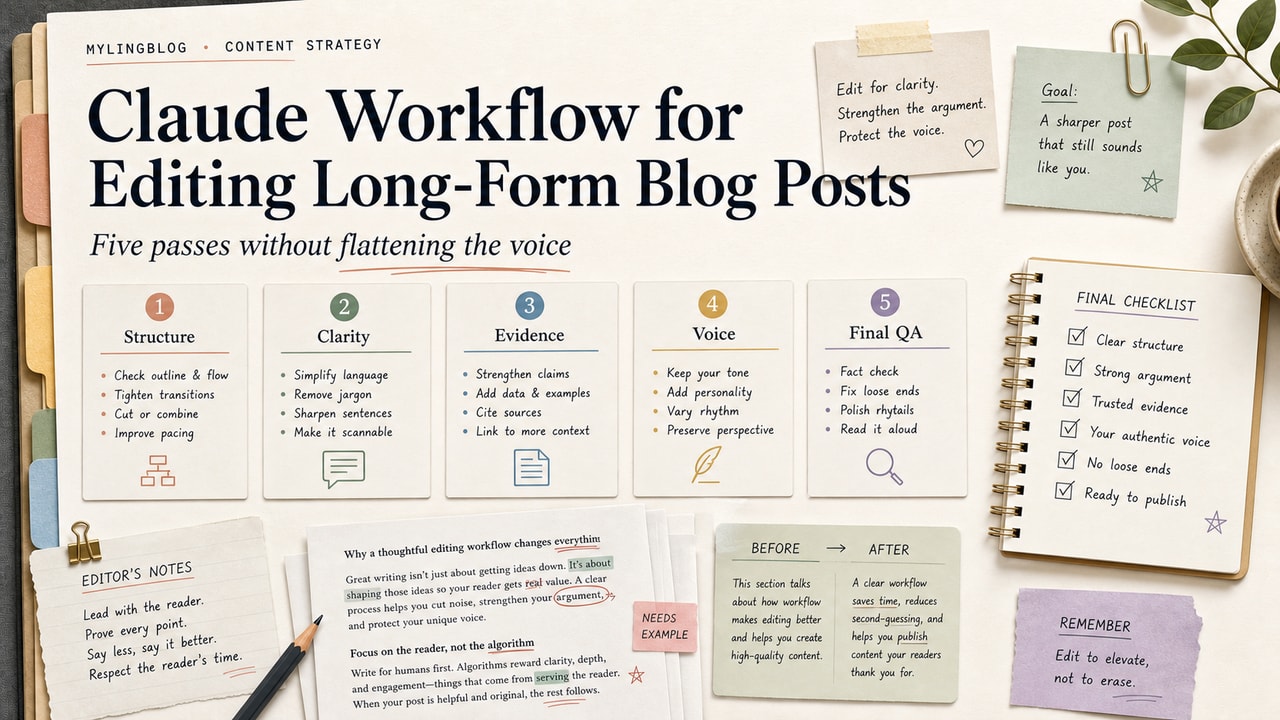
You wrote 2,400 words. It took three weekends. Now the draft is sitting there, and you know there are weak spots: the intro drags, paragraph 7 repeats paragraph 12, and the section transitions are choppy. Running the whole thing through a generic AI editor often makes it worse because it flattens your voice and turns sharp opinions into beige summary copy. Claude is most useful here when you force it to diagnose one editing problem at a time instead of letting it rewrite the whole draft.
Quick Answer
A Claude editing workflow works best when you split the job into five passes: structure, flow, clarity, tone, and fact-check. Ask for paragraph-level suggestions, not a rewritten article, and apply accepted edits by hand. That keeps the model in reviewer mode instead of ghostwriter mode. The workflow is worth using when the draft is long enough that self-editing gets blurry, but still personal enough that you do not want an AI to smooth out your strongest sentences. It is not the fastest possible way to edit. It is the safer way to keep your point of view, catch vague claims, and decide what to rewrite yourself. If you want one rule to remember, it is this: use Claude to flag problems, not to own the final wording.
What This Workflow Is
A Claude blog editing workflow is a 5-pass system that walks Claude through your long-form draft one editing dimension at a time: structure, flow, clarity, tone, and fact-check. Separating the passes keeps Claude from collapsing several decisions into one rewrite, which is where voice damage usually happens.
We built this after watching too many 2,000-word drafts come back from a single "edit this for me" prompt as shorter, safer, less memorable posts. Claude is good at spotting weak sections, but it still needs guardrails. Five focused passes give those guardrails.
Who This Workflow Is For
Best for: bloggers, niche site owners, and creators who write roughly 1,500 to 3,000 words and want a second editing pass without handing the article over to a full rewrite tool.
Also useful for: ghostwriters, agency content leads, and anyone editing someone else's draft where keeping the original author's voice matters.
Not ideal for: short-form work under 800 words, where the 5-pass overhead is heavier than the draft itself, or technical docs where accuracy review matters more than voice preservation.
Tools You Need
| Tool | Why | Cost note |
|---|---|---|
| Claude.ai or the Claude app | Claude's current long-context models can usually hold a full long-form draft plus editing instructions in one session | Plans and limits change; check current Anthropic pricing |
| Your draft (Markdown or plain text) | Claude reads structure better from Markdown than from rich text | Free |
| A change log doc | Track which suggestions you accepted so you can see your recurring weak spots | Free |
The 5-Pass Editing Workflow at a Glance
Each pass asks Claude to look at exactly one dimension and respond with a suggestion list, not a full rewrite. You decide what to accept.
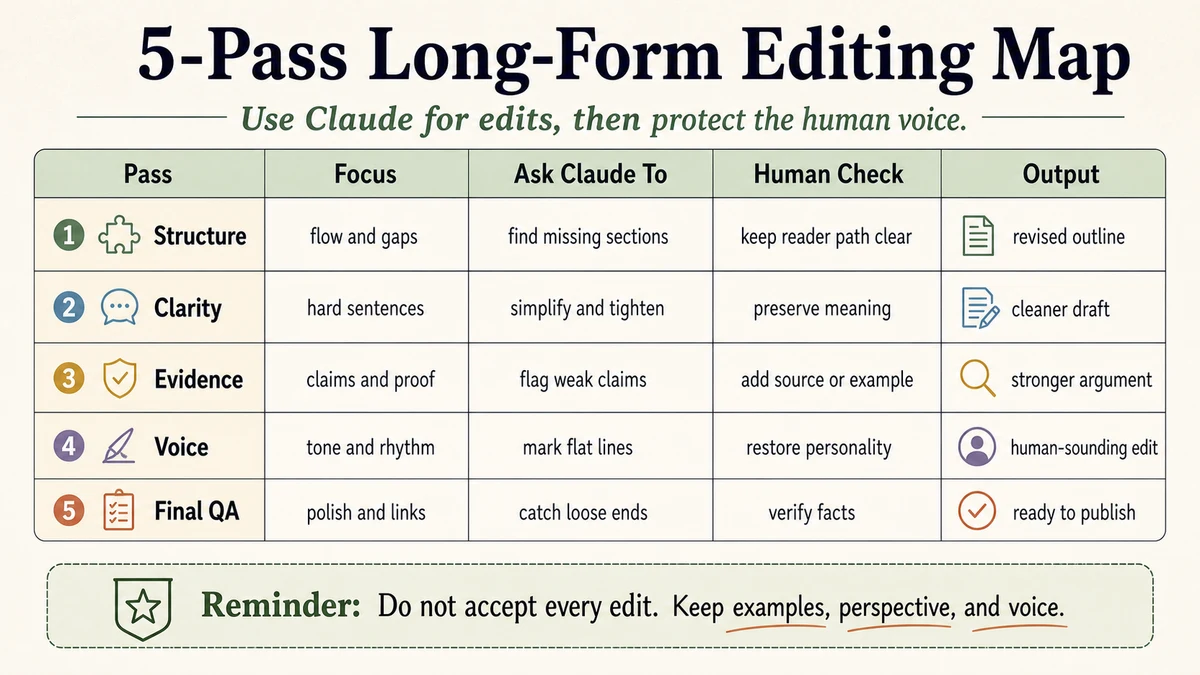
- Pass 1 - Structure: Are sections in the right order? Is anything redundant? Does the H2 outline tell a story on its own?
- Pass 2 - Flow: Do paragraphs connect? Are transitions abrupt? Where would the reader drop off?
- Pass 3 - Clarity: Where is the language vague? Which sentences need a concrete example? Where would a table or list reduce cognitive load?
- Pass 4 - Tone & Voice: Where does the draft sound generic? Where do I sound too formal compared to my usual voice? Flag it, do not rewrite it.
- Pass 5 - Fact-Check & Citations: What claims need a source? Which numbers feel suspiciously specific? Where am I overstating?
This separation matters because Claude tends to compress whatever you give it when asked vaguely. If the prompt says "edit this," Claude may delete sentences it thinks are redundant, including the ones that make the post sound like you.
Step-by-Step Workflow
- Open a fresh Claude chat and paste the entire draft as Markdown. Add your H1 and a one-line description of the target reader.
- Set the ground rule first: "For every pass, respond with a list of specific suggestions referencing paragraph numbers. Do not rewrite my whole draft. I want to accept or reject each suggestion."
- Run Pass 1 (Structure) using the prompt template below. Accept the changes that improve the article's shape and reject the ones that strip out voice.
- Edit the draft yourself based on accepted suggestions. Do not let Claude apply edits in bulk or you will lose track of what changed.
- Paste the updated draft back and run Pass 2 (Flow). Repeat the accept or reject cycle.
- Repeat for Passes 3, 4, and 5 for clarity, tone, and fact-check. Do them in this order; tone work makes no sense if structure is still broken.
- Final sanity read out loud. Claude cannot catch awkward sound the way you can.
Copy-and-Paste Prompt
You are an editor working on my long-form blog post. I will share the full draft and tell you which pass we are on. For every pass:

- Respond with a numbered list of specific suggestions
- Reference paragraph numbers (I will number paragraphs before pasting)
- Do not rewrite the full draft
- Flag the issue and propose an option; let me decide

This pass is: [STRUCTURE / FLOW / CLARITY / TONE / FACT-CHECK]

Focus only on this dimension. For tone, do not change my word choices. Flag where the draft slips into generic filler, vague claims, or hedging. For fact-check, flag claims that need a source even if they sound plausible.

Reader: [one line describing your target reader]
H1: [your H1]

Draft below:
[paste numbered Markdown draft]
Example Input
Here is a representative example of what you paste into Claude for Pass 4 (Tone & Voice):
This pass is: TONE

Reader: solo bloggers running niche sites, 1 to 3 years in.
H1: How to Update Old Blog Posts Without Killing Their Rankings

Draft below (paragraph numbers in brackets):

[1] Old blog posts often carry more long-tail traffic than the owner expects. The problem is that updating them blindly can weaken sections that were already working.

[2] AI can speed up the review pass, but it can also flatten the article if you let it rewrite everything at once.

[3] We have found three things matter most: a clear reason for the update, a stronger first paragraph, and one new section that gives the reader a better decision.
Example Output
Claude's reply, lightly trimmed for readability:
Pass 4 - Tone suggestions:
[2] Flag: Paragraph 2 reads like product copy, not an editor talking to another editor. Rewrite it from scratch so the sentence says what AI helps with and what risk it creates.
[1] Keep: Hook is strong because it names the real fear: damaging a post that already works. Good voice.
[3] Minor: "Three things matter most" is a strong editorial move. Keep it if you are willing to stand behind the ranking.
Notice what Claude did not do: it did not rewrite paragraph 2 for you. It flagged the problem, gave you the diagnosis, and put the rewrite back in your hands. This is the core behavior we want: diagnose, do not replace.
Tested Workflow Notes
We ran this workflow on our own long-form drafts before publishing this guide. Here is what we found:
- Input type: a paragraph-numbered Markdown draft in the 2,000-word range
- Tool used: a current Claude chat workspace with the full draft pasted as Markdown
- Best result: Pass 4 (Tone) consistently caught filler phrasing and repeated throat-clearing we had stopped seeing after too many rereads
- What failed: Pass 1 (Structure) on shorter drafts under 1,200 words returned mostly empty because the post did not have enough structural complexity for the pass to matter
- Manual edits still needed: Claude was better at naming the problem than writing the final sentence, which is exactly why we keep the rewrite step human-owned
Pitfalls We've Actually Hit
Asking Claude to "apply your suggestions to the draft." When we did this on a long post, Claude returned a shorter version with several paragraphs silently removed. We had to diff manually to figure out what was lost. Now we always edit by hand from Claude's suggestion list.
Running all 5 passes in one chat without resetting context. By Pass 4, Claude had picked up our writing style and started smoothing edges in its suggestions, telling us to soften sentences that were intentionally sharp. Starting a fresh chat for tone work fixes this. Large context helps, but recency bias still shows up.
Skipping paragraph numbering. Without it, Claude's references get fuzzy and you waste time hunting down the right spot.
5 Common Mistakes
- Pasting a rich-text draft instead of Markdown. Claude can misread heading levels and start editing inside H2 titles.
- Running tone before structure. Fixing a sentence that is about to get cut is wasted effort.
- Accepting every suggestion. A useful pass still needs a reject pile if your voice is distinct.
- Asking for word-count reduction in the same pass as tone. You usually get a blander, shorter post, not a sharper one.
- Treating the fact-check pass as optional. This is the pass that protects your reputation because Claude can flag suspicious claims in your own writing that you did not catch.
Tool Alternatives
| Tool | Best for | When to skip Claude |
|---|---|---|
| ChatGPT | Faster turnaround on shorter posts under 1,500 words | Long drafts may need more careful chunking or review discipline |
| Gemini | Research-heavy fact-check pass with web grounding | Less consistent on tone preservation |
| Grammarly | Sentence-level grammar after Claude passes are done | Does not understand structure or argument |
For most long-form work, we still default to Claude because the editing hand is usually lighter than a one-shot drafting tool. For more on tool trade-offs, see our ChatGPT vs Claude vs Gemini for SEO writing comparison.
FAQ
Does Claude have a word limit for editing a single post?
Current Claude long-context models can usually hold a full long-form post plus your prompt and instructions in one session. For practical blog work, context is rarely the bottleneck; your editing fatigue is. We still avoid stacking too many passes into one sitting because review quality drops before context does.
Should I use Claude Sonnet or Opus for blog editing?
For editing, a current Sonnet-tier Claude model is usually the best starting point because it is fast enough for an iterative pass-by-pass loop and follows narrow instructions well. Opus can still be useful when the article is unusually messy or conceptually dense, but it is not the default choice for routine blog editing. Check the latest model lineup on Anthropic's pricing page.
Will Claude flag my own AI-written sentences?
Yes, when you ask explicitly in the Tone pass. Claude is good at spotting filler marketing phrasing, vague momentum language, and sentences that sound polished but say very little. That is one of the main reasons we use it before a grammar-only pass.
Can Claude check facts in my post?
Claude can flag claims that look suspicious or need a source, but it cannot independently verify current facts in real time. Use it for "this number feels too specific" or "this attribution needs a citation," not for "is this still accurate today." For live fact-checking, pair it with current official sources or manual web search. See Google's helpful content guidance for why this matters.
Is there a free way to do this?
Claude's free tier allows limited usage and may cap you on long-form work after a few passes. If you publish often, a paid Claude plan can make the workflow easier to repeat, but the right plan and value depend on current pricing and how often you publish. We still treat Claude as a layer in the editing stack, not a replacement for human judgment.
Final Recommendation
If you publish long-form regularly, run all 5 passes before your final publish review. The first attempt will feel slower than a normal self-edit, but the workflow becomes lighter once you know which kinds of suggestions you usually accept and which ones you reject on sight.
The point of a Claude blog editing workflow is not to outsource editing. It is to get a second pair of eyes that is good at naming structure, tone, and evidence problems without automatically taking over the article. Used this way, Claude becomes a reviewer in your process, not a replacement for your judgment.
Related Workflows
- AI Writing Workflow for Bloggers: From Idea to Final Draft - the upstream workflow that produces the drafts this guide edits
- How to Use ChatGPT to Draft Blog Posts Without Sounding Generic - the ChatGPT counterpart for drafting
- ChatGPT vs Claude vs Gemini for SEO Writing - when to pick which tool
- Browse the AI Writing hub
- Best AI for blog writing