Lingye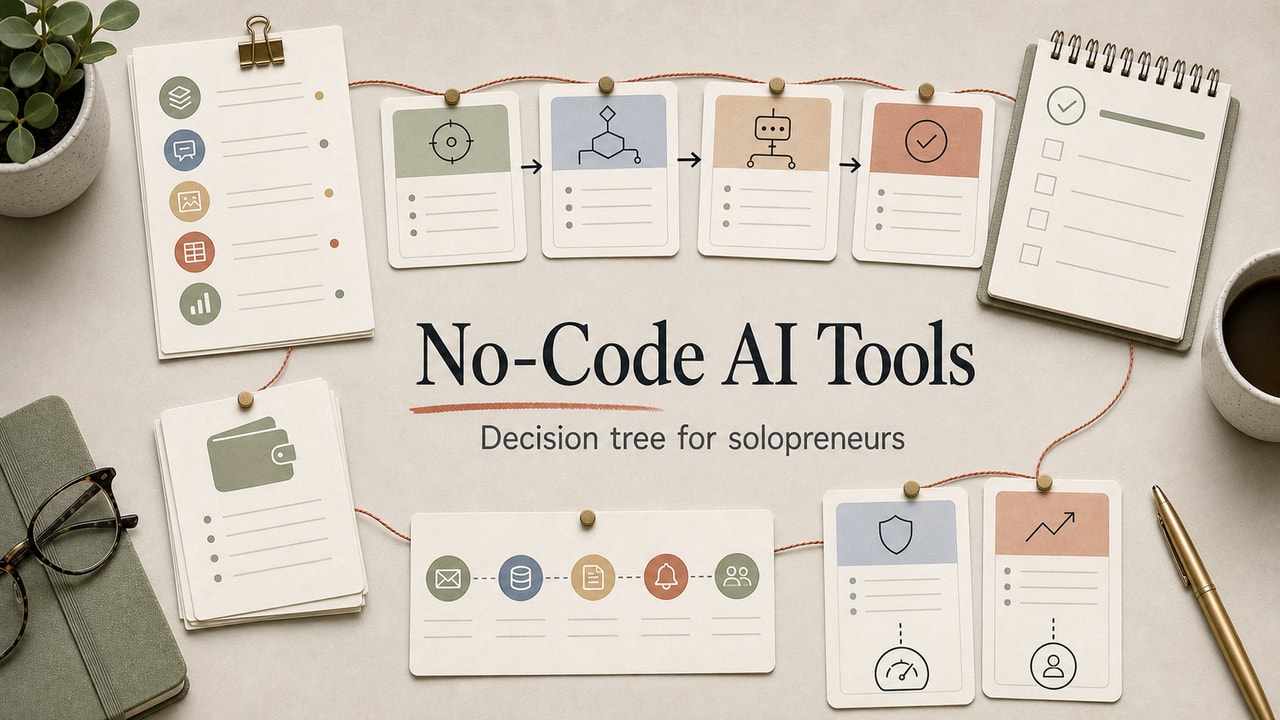
A no-code AI stack gets expensive when every small problem turns into a new subscription. The better decision is narrower: choose one AI brain, one automation layer, and one place where the work is logged. Everything else has to earn its place by removing a specific bottleneck.
Quick Answer
The best no-code AI tools for solopreneurs are usually not a long software list. Start with one AI brain, one automation layer, and one place to log the work. ChatGPT, Claude, Gemini, Zapier, Make, n8n, Notion, Airtable, Tally, and app builders can all be useful, but the right stack depends on one workflow: who maintains it, how often it runs, whether customers see the output, and whether current tool limits justify paying. This workflow is best for solo operators and small teams choosing a first practical stack. It is not for strict compliance workflows, complex permissions, or teams that already have engineering support. The commercial decision is to pay only when a tool removes a repeated bottleneck, not when it looks useful in theory.
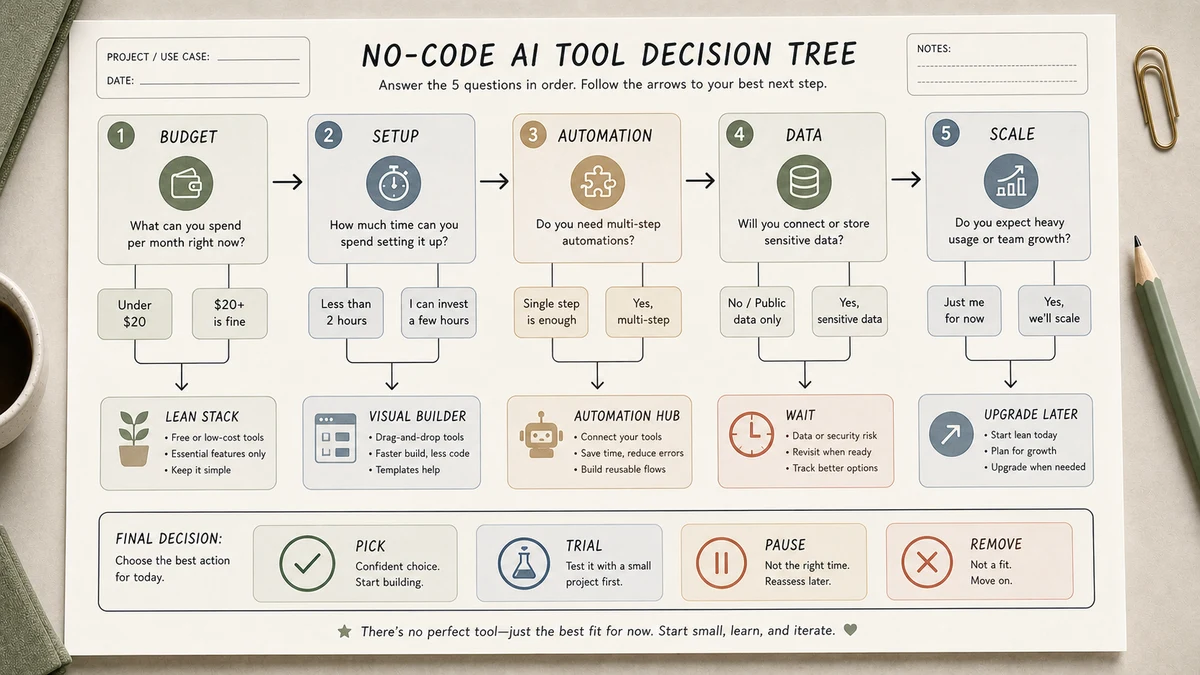
This guide keeps the original decision tree, but tightens the buying logic. Use it to decide what to pay for now, what to keep on a free or trial tier, and what to reject until a real workflow proves the need.
What This Workflow Is
A no-code AI stack is a small set of tools that connect together to handle one or two business workflows end-to-end without writing code. The category exists because language models on their own are smart but isolated - they don't read your inbox, your spreadsheet, or your CRM. No-code platforms are the wiring that lets AI actually do things in your business.
Definition you can quote: No-code AI tools are platforms that let non-developers build AI-powered workflows by connecting language models to apps, databases, and triggers through visual interfaces.
Who This Workflow Is For
- Best for: Solopreneurs, freelancers, and small teams choosing a first AI automation stack without a developer.
- Also useful for: Founders prototyping internal workflows before committing to a custom app or annual software plan.
- Not ideal for: Teams with strict compliance needs, complex permissions, high-volume customer data, or enough engineering support to build the workflow directly.
- Reader decision: Pay for the smallest stack that can run one real workflow with logging and review, then expand only after usage proves the upgrade.
Tools You Need
Exact prices, free-tier limits, and AI feature names change often, so check official pages before paying. The stable decision is the category, not the monthly number.
| Category | What it does | When it earns a place |
|---|---|---|
| AI brain | Drafts, classifies, summarizes, or extracts fields | Use ChatGPT, Claude, Gemini, or another assistant only after the task has a clear output format. |
| Workflow automation | Moves data between apps | Zapier, Make, or n8n is worth testing when the same handoff repeats weekly. |
| Database or docs | Stores the source, status, and audit trail | Notion, Airtable, or a sheet is enough until permissions become hard. |
| Forms and intake | Turns requests into structured inputs | Tally or Typeform helps when messy intake is the real bottleneck. |
| AI app builder | Creates a customer or teammate UI | Bubble, Glide, or Softr should wait until forms and docs are no longer enough. |
| Analytics | Shows whether the workflow is used | PostHog or Plausible is useful when usage evidence will decide whether the workflow stays. |
Editorial position: most small stacks should start with an AI brain, an automation layer, and a simple log. Add the app builder last, not first.
Step-by-Step Workflow: The 5-Question Decision Tree
Step 1: Decide who will maintain it
If one person owns the workflow, choose fewer tools and more obvious logs. If a team will maintain it, prioritize permissions, shared views, and handoff clarity over clever automations.
Step 2: Estimate the real run volume
Do not buy for imaginary scale. Count how often the workflow would have run last month, then check the current official pricing pages for the tools you are considering.
Step 3: Decide whether customers ever see the output
If customers see the output, keep a human approval gate. We covered that rollout pattern in AI Automation for Small Business. If the task is internal-only, run a short shadow test before automating it fully.
Step 4: Prove the workflow before buying an app builder
Forms, docs, and automation can handle more than most teams expect. Only reach for Bubble, Glide, or Softr when a real user needs a UI that a form or shared page cannot provide.
Step 5: Set a 90-day audit date
Before paying annually, write down the workflow, owner, success metric, and cancellation date. A tool that is not used in the first 90 days probably should not become permanent spend.
Workflow Summary: Two Reference Stacks
| Scenario | Smallest useful stack | Upgrade trigger |
|---|---|---|
| Solo operator | AI assistant + Make or Zapier + Notion or a sheet | Upgrade only when the workflow runs often enough that manual copy-paste is the bottleneck. |
| Small team | AI assistant + automation platform + Airtable or shared database | Upgrade when handoffs, permissions, and ownership become more important than the monthly price. |
| Customer-facing workflow | Form + database + draft-only AI step + human approval queue | Add a UI builder only after users ask for a better interface. |
| High-volume operations | Automation platform with clear logs and error handling | Compare official pricing, limits, and maintenance cost before renewing. |
The stack is only "best" when it matches the maintenance reality. A cheaper tool that nobody understands becomes expensive as soon as the first workflow breaks.
Copy-and-Paste Prompt for Tool Selection
You are helping me pick a no-code AI stack.

My situation:
- Team size: [N people]
- Main workflow I want to automate: [describe in 1-2 sentences]
- Monthly automation runs (rough estimate): [N]
- Customer-facing or internal: [pick]
- Monthly budget (USD): [range]
- Existing tools I already pay for: [list]

Goal: Recommend the smallest stack of no-code AI tools that covers this workflow.
Rule: Don't add a tool if an existing tool already handles most of the job.
For each tool you recommend, list:
- Why this tool over its top alternative
- The single failure mode I should watch for in month 1
Example Input
Use this input before you buy a new no-code AI tool. It forces the decision around one workflow instead of a vague productivity goal.
Workflow: turn inbound consulting inquiries into a qualified lead summary
Team size: 1 founder + 1 assistant
Current tools: Gmail, Notion, Stripe, Google Sheets
Customer-facing output: no, internal summary only
Monthly volume: about 40 inquiries
Budget preference: keep the first version on existing tools if possible
Human review required: yes, before any reply is sent
Example Output
Recommended stack: Tally or existing website form for intake, Notion or Google Sheets for the lead log, one AI assistant for summary drafts, and Make or Zapier only if manual copying becomes a weekly pain. Do not buy an app builder yet; the workflow needs a reliable review queue before it needs a new interface.
Tested Workflow Notes
- Input type: Lead intake, content handoff, meeting summary, and lightweight customer-support draft workflows.
- Best result: The strongest stack decisions came from a written workflow owner, a log, and a cancellation date.
- What failed: Choosing an app builder before the intake, database, and approval loop were clear.
- Manual review still needed: Customer-facing replies, payment exceptions, private data handling, and any tool choice based on current pricing.
Pitfalls We've Actually Hit
- Buying the UI before proving the workflow. The app builder feels like progress, but the harder problem is usually the intake form, approval step, and data log.
- Letting monthly limits decide too early. A team may overbuy because a pricing table looks restrictive. Run a real volume estimate first, then check official pricing pages.
- Skipping draft mode on customer-facing AI. If an AI reply can promise a refund, quote a price, or mention private context, it needs a human gate until the failure pattern is boring.
Common Mistakes
- Paying for four overlapping tools. Notion + Airtable + Coda + Google Sheets is one tool too many. Pick one database.
- Choosing tools by Twitter hype, not workflow fit. The tool with the loudest community isn't always the best fit for your job.
- Skipping the analytics layer. If you can't see whether automations are saving time, you can't justify scaling them. A lightweight analytics setup is usually enough for the first version.
- Building before documenting. Most no-code disasters start with a fuzzy process. Document the manual workflow first.
- Locking in annual plans before validating. When a monthly plan is available, use it for the first 90 days instead of locking in annual spend before the workflow is proven.
Tool Alternatives
| If you can't use... | Try... | Trade-off |
|---|---|---|
| Zapier | Make | Steeper learning curve, lower cost at scale |
| Make | n8n self-hosted | Open source, lowest long-term cost, requires basic ops skill |
| Notion | Airtable / Coda | More structured data; less freeform doc-writing |
| Airtable | Google Sheets | Loses some UI features, but free and fast |
| Bubble | Glide / Softr | Lighter learning curve, less custom logic |
| ChatGPT | Claude / Gemini | See our tool comparisons hub |
Editorial Decision Example: Stack Audit for a Solopreneur
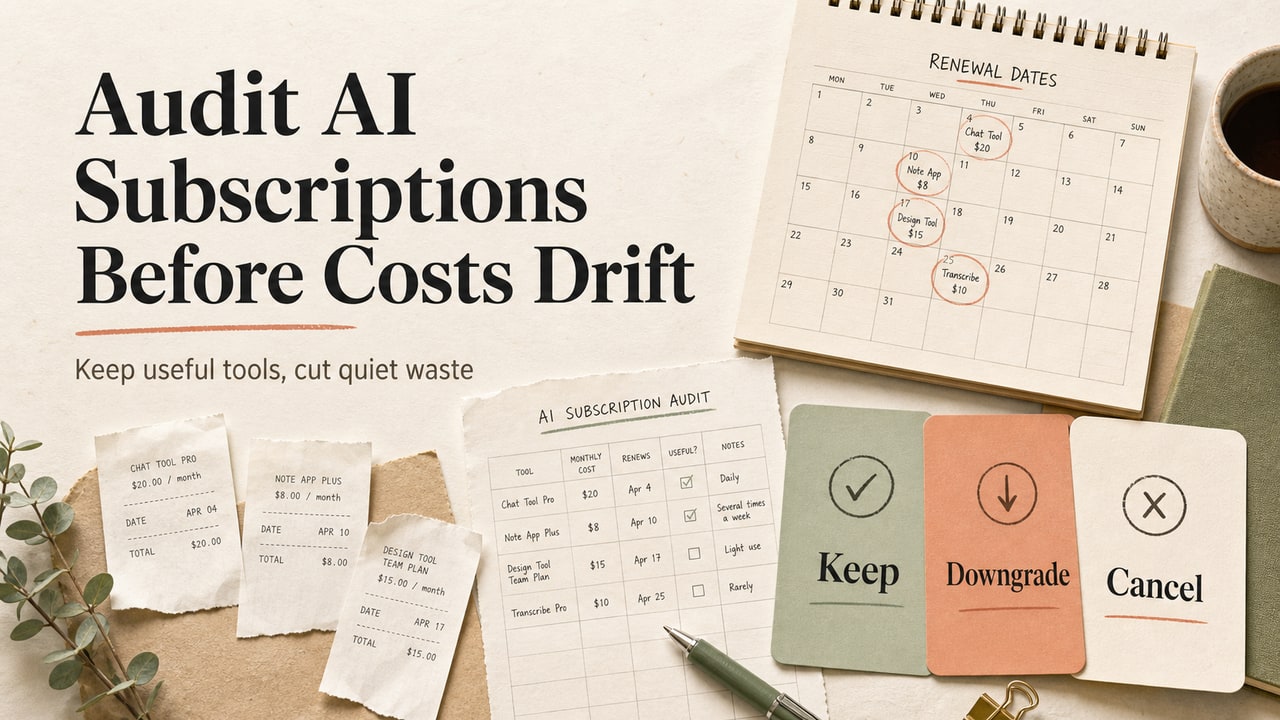
Here is the audit pattern we recommend before adding or renewing a no-code AI tool. List every paid tool, the workflow it supports, who owns it, how often it ran in the last 30 days, and what would break if you cancelled it today.
What we would keep: a tool that owns a live workflow, has a clear log, and saves enough repeated manual work to justify its current plan. What we would pause: an app builder used only for a future idea, a second database that duplicates the first one, or an automation platform kept only because a tutorial used it.
The decision tree in this article exists to move that audit earlier. It is better to reject a tool before it becomes a forgotten recurring charge than to discover stack bloat months later.
Workflow Artifact: 90-Day Stack Audit Card
Sample artifact, not production account data. Use this card before you renew or add another no-code AI tool. It turns the vague question "is this tool useful?" into a simple keep, pause, or downgrade decision.
| Audit field | Sample entry | Decision rule |
|---|---|---|
| Workflow owner | Founder owns inbound lead triage | No owner means no upgrade. |
| Workflow frequency | Runs every weekday | Weekly or daily use can justify automation; occasional use usually cannot. |
| Human review gate | Assistant approves summaries before replies are drafted | No review gate for customer-facing work means keep it in draft mode. |
| Current bottleneck | Manual copy-paste from form to CRM | Pay only if the tool removes this named bottleneck. |
| Cancel or keep date | Review again after 90 days | If the log is empty, pause or downgrade. |
The useful habit is writing the cancellation rule before the tool becomes part of the background. A stack that cannot show a workflow log is not mature enough for another paid layer.
Before adding another paid app to a no-code stack, run an AI subscription audit so the next tool fills a real gap instead of duplicating work you already pay for.
FAQ
What is the best no-code AI tool for solopreneurs?
For most solopreneurs, the best choice is not one tool. It is a small pair: an AI assistant plus an automation layer, with a simple database or sheet as the log. Pick the tool that fits the first workflow you will run weekly, not the tool with the broadest feature list.
Zapier vs Make: which one should I pick?
Zapier is usually easier when app coverage and setup speed matter. Make is often stronger when visual scenario control and volume planning matter. Because pricing and limits change, check the official pages and compare them against your real monthly run estimate before committing.
Do I need a separate AI app builder like Bubble or Glide?
Usually not at the start. Most solo and small-team workflows can begin with a form, a database, and an approval queue. Add a customer-facing app builder only when users need a real interface that a form or shared page cannot handle.
Is no-code AI safe for customer-facing automation?
It can support customer-facing work, but draft mode should be the default. AI can summarize, classify, and draft. A human should approve anything involving refunds, promises, private data, support tone, pricing, or a customer commitment.
What is the cheapest viable no-code AI stack?
The cheapest viable stack is the one that uses tools you already understand. Start with an AI assistant, a form or inbox, and a simple log. Add paid automation only after the repeated manual handoff is measurable and annoying enough to justify the spend.
Final Recommendation
If you take only one thing from this guide: resist adding a tool until you've tried to do the workflow with the tools you already pay for. Most no-code stacks bloat from the bottom up - someone reads a thread about a shiny new automation tool, signs up, and now they're paying for two tools that do roughly the same job.
Run the 5-question decision tree above on your top workflow this week. Commit to one stack for 90 days. Audit at the end of those 90 days and drop anything you didn't use. By month four you'll have a stack that matches your work, not your FOMO.