Lingye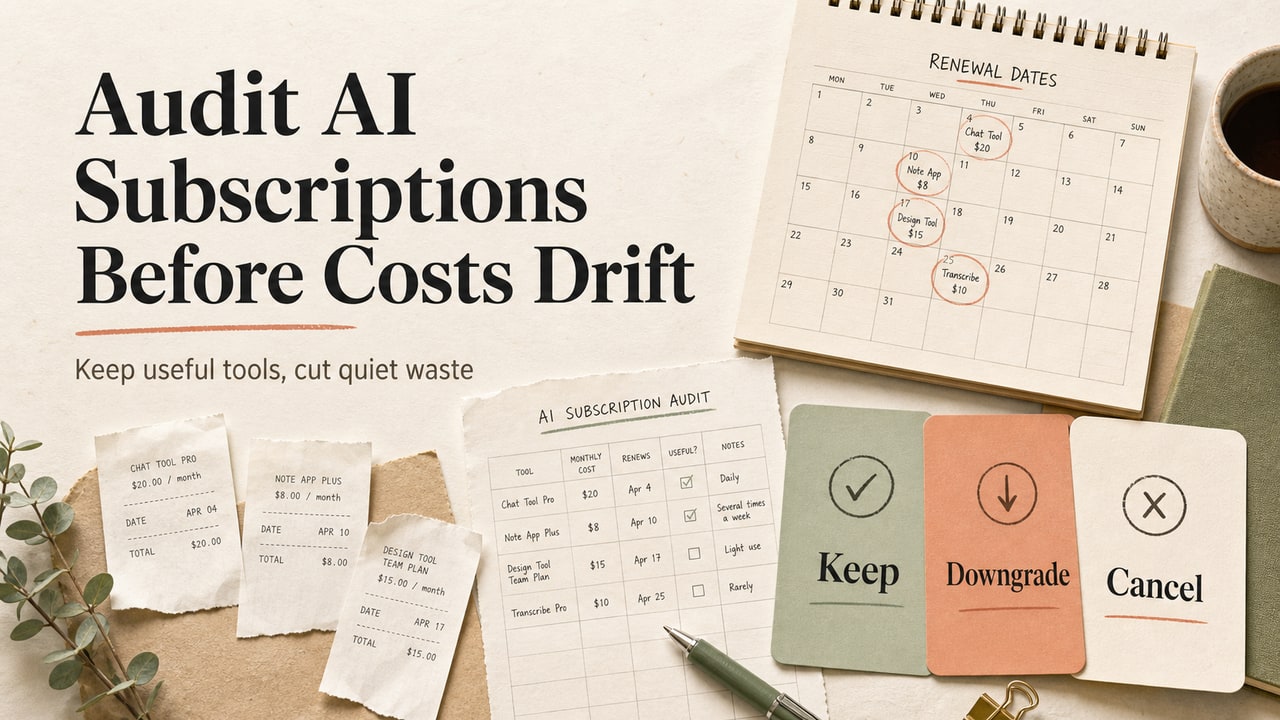
Most teams do not notice AI subscription waste when the invoice arrives. They notice it in the awkward moment when three paid tools can all draft the same brief, one teammate wants a higher tier, and nobody can explain which subscription changed the work.
Quick Answer
An AI subscription audit is a monthly review that maps every paid AI tool to one job, one owner, one proof of saved time, and one risk. Start by listing every plan, then score each subscription on unique value, weekly use, output quality, privacy fit, and replacement cost. Keep tools that handle a recurring job better than free or cheaper options, downgrade tools used only for occasional research, cancel tools with no owner or duplicate jobs, and wait on new premium tiers until a real workflow needs them. This workflow is for small teams, creators, agencies, and product managers with overlapping AI plans. It is not for teams choosing their first tool; those teams should start with one general assistant and one workflow need. The practical decision is not which AI tool is best. It is which paid tool earns a seat in the working system.
What This Workflow Is
This AI subscription audit workflow is a repeatable way to review paid assistant, writing, coding, research, image, meeting, and automation tools before the stack drifts into quiet waste. It is built for the search question people type before they know the angle: why are we paying for so many AI tools, and which ones should we keep?
The workflow does not rank every product in the market. It asks a smaller question that is easier to defend: does this subscription still serve a specific recurring job for a named owner?
Use it when pricing pages have changed, premium tiers are tempting, a teammate asks for another seat, or your spreadsheet has more AI line items than clear workflows.
Who This Workflow Is For
- Small teams that pay for several AI assistants but cannot connect each one to a recurring job.
- Creators and agencies that want to cut AI software costs without losing client delivery speed.
- Product managers comparing assistant plans, coding helpers, meeting tools, and research add-ons.
- Solo operators who signed up for trials during a busy month and now need a clean cancel or downgrade decision.
It is not a procurement framework for enterprise security review. If your team needs legal, data processing, or central IT approval, use this as the first workflow map and then hand the surviving tools to the right owner.
Tools You Need
| Tool | Purpose in the audit | Evidence to collect |
|---|---|---|
| Billing export or card statement | Find every paid AI subscription and add-on. | Plan name, owner, price, renewal date. |
| Shared spreadsheet | Score each tool against the same criteria. | Use case, weekly use, replacement option, decision. |
| Calendar or task history | Check whether a tool supports real recurring work. | Meetings, writing tasks, code reviews, research notes, campaign work. |
| OpenAI's pricing page for assistant plans | Confirm current tier names and plan differences. | Plan label, included features, limit wording. |
| Anthropic's plan page | Compare named plan levels and usage language. | Free, Pro, Max, Team, or Enterprise scope. |
| Google AI plans page | Check bundled AI plan options and storage-heavy offers. | Plan tier, feature access, storage, usage framing. |
Workflow Summary
The audit has four passes. First, inventory the full paid stack. Second, score each tool against real work rather than brand preference. Third, place every tool in a keep, downgrade, cancel, or wait lane. Fourth, set a renewal checkpoint so the same waste does not return next month.
| Score area | Question | 0 points | 2 points |
|---|---|---|---|
| Unique job | Does the tool do work another paid tool cannot cover? | Duplicate task | Clear unique job |
| Weekly use | Did someone use it for recurring work last week? | No owner | Named weekly owner |
| Output quality | Does the output reduce review time? | Creates more cleanup | Speeds a known deliverable |
| Risk fit | Can the team use it without data or policy confusion? | Unclear risk | Clear allowed use |
| Replacement cost | Would canceling it create real friction? | Easy replacement | Hard to replace |
Add the five scores. A tool at 8-10 is a keep candidate. A tool at 5-7 is a downgrade or narrower-seat candidate. A tool at 0-4 needs a cancel date unless a named owner can defend the next thirty days.
Step-by-Step Workflow
Step 1: List every paid AI line item
Start with the billing export, not memory. Include monthly plans, annual plans, team seats, add-ons, image credits, transcription plans, research assistants, coding helpers, meeting note tools, and bundled AI plans.
Columns to use: product, plan, owner, monthly equivalent, renewal date, primary job, last known use, and source page checked.
Step 2: Assign one job per tool
A paid tool can support many tasks, but the audit needs one primary job. Write the job in plain language: draft product briefs, summarize user calls, create first-pass code review notes, research competitor messaging, clean podcast transcripts, or prepare article outlines.
If the job sounds like "general AI help," the subscription is not ready for a keep decision. Rewrite it as a deliverable with an owner.
Step 3: Check tier need against real usage
Open the official plan page before deciding. Plan names and limits change, and a tool that felt necessary three months ago may now be a higher tier than the workflow needs. The point is not to chase the cheapest plan. It is to avoid paying for premium capacity when the team only uses occasional drafting, summarizing, or ideation.
Recent plan pages also show why the audit matters. Some vendors now present multiple consumer and professional tiers, while broader AI bundles combine storage, model access, and high-limit usage. That creates more ways to overbuy.
Step 4: Score the tool stack
Give each tool a 0, 1, or 2 for the five score areas. Do not let the owner choose the final score alone. The owner supplies evidence, and the reviewer checks whether the tool still has a unique job.
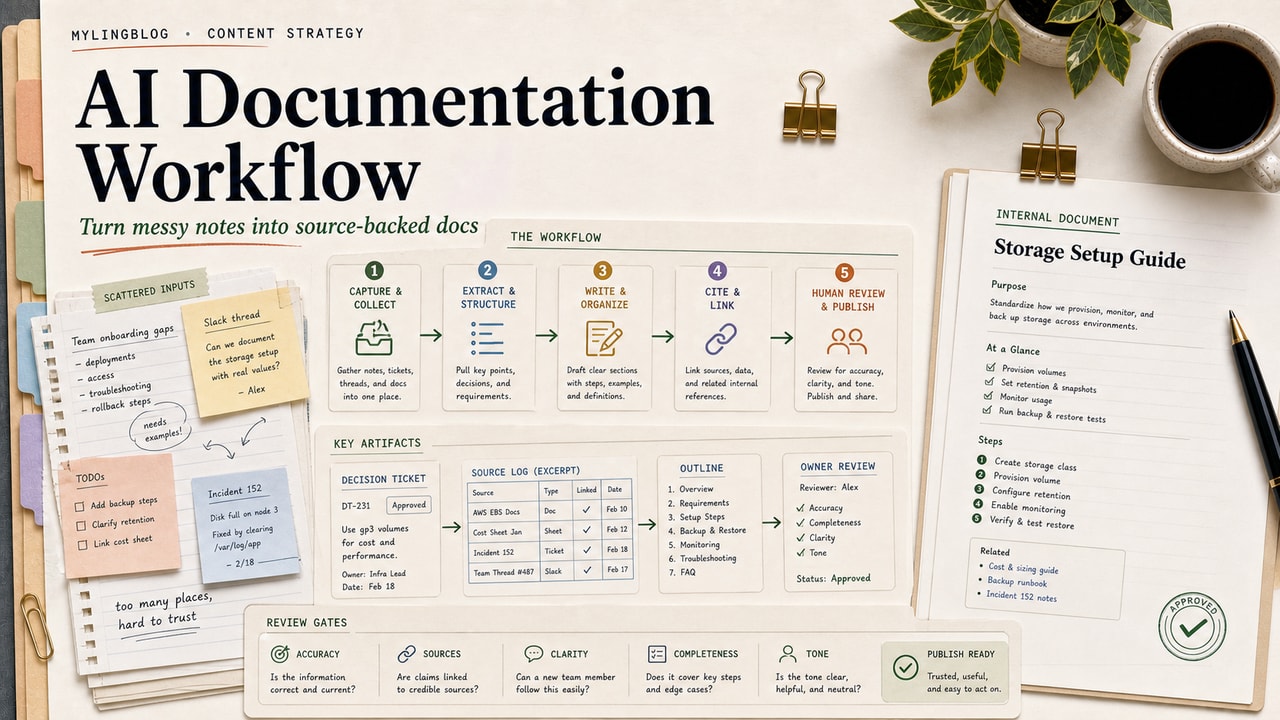
Use a short source log beside the score. Example: "Plan page checked June 15, owner uses it for weekly customer-call summaries, replacement would require manual transcript cleanup."
Step 5: Place each tool in a decision lane
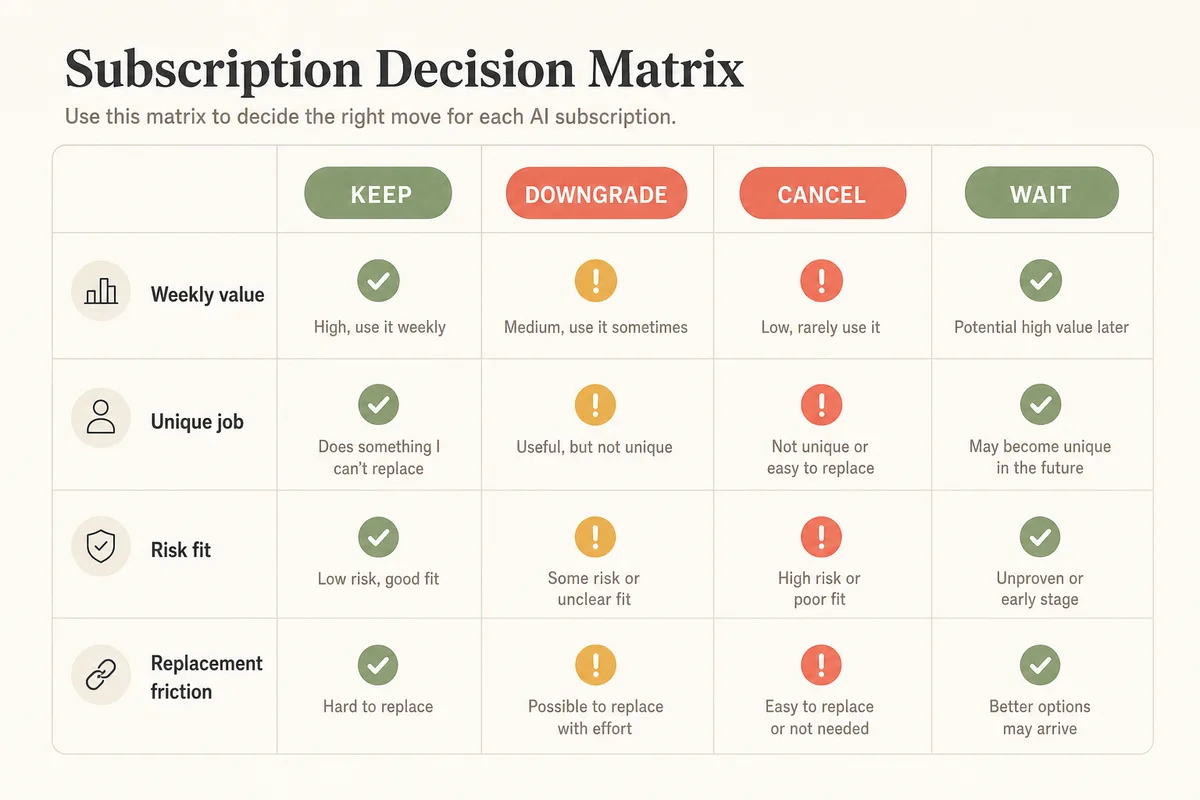
Use four lanes:
- Keep: recurring job, clear owner, no easy replacement.
- Downgrade: useful but over-tiered, occasional, or seat count too high.
- Cancel: duplicate, no owner, no recent deliverable, or trial left running.
- Wait: interesting upgrade, but no workflow trigger yet.
Step 6: Write the next review trigger
A decision without a trigger becomes another forgotten subscription. Add one sentence for every keep and downgrade decision: "Review again when usage drops below weekly," "Review after the campaign ends," or "Review before annual renewal."
Subscription Decision Matrix
The matrix is the fastest way to explain the decision to someone who joined the conversation late. Put each tool into one lane and attach the reason, not a paragraph of debate.
| Lane | Use when | Next action |
|---|---|---|
| Keep | The tool owns a weekly workflow and has a hard-to-replace output. | Keep plan, document owner, set review trigger. |
| Downgrade | The tool helps, but usage does not justify the current tier or seat count. | Move to lower plan or reduce seats before renewal. |
| Cancel | The tool duplicates another subscription or has no named owner. | Export needed work, cancel, log reason. |
| Wait | A new premium tier looks useful but no workflow needs it yet. | Add a trigger, do not buy early. |
Copy-and-Paste Prompt
Use this prompt after you have listed your subscriptions. Do not paste confidential billing data or private customer content into a public assistant.
You are helping me audit a small team's AI subscriptions.

Goal: decide which tools to keep, downgrade, cancel, or wait on.

For each tool, review:
- Product and plan:
- Monthly equivalent:
- Owner:
- Primary workflow job:
- Evidence of last weekly use:
- What other paid tool could replace it:
- Data or policy risk:
- Renewal date:

Score each area from 0 to 2:
1. Unique job
2. Weekly use
3. Output quality
4. Risk fit
5. Replacement cost

Return:
- A table with total score and decision lane
- One sentence explaining each decision
- A 30-day review trigger
- Questions I must answer before canceling anything
Example Input
| Tool | Plan | Owner | Primary job | Recent evidence |
|---|---|---|---|---|
| General assistant | Individual paid plan | Marketing lead | Draft newsletter briefs | Used for three weekly briefs |
| Research assistant | Team plan | Founder | Competitor scan | No shared note in six weeks |
| Meeting note tool | Team seats | Customer success | Summarize calls | Used after every renewal call |
| Image tool | Creator plan | Content editor | Blog cover concepts | Used twice last month |
Example Output
| Tool | Total | Lane | Reason | Review trigger |
|---|---|---|---|---|
| General assistant | 8 | Keep | Weekly briefs need the tool and have a named owner. | Review if briefs move below weekly. |
| Research assistant | 3 | Cancel | No current owner evidence and the job is not recurring. | Cancel after exporting saved notes. |
| Meeting note tool | 9 | Keep | Recurring customer workflow and hard manual replacement. | Review before seat expansion. |
| Image tool | 5 | Downgrade | Useful for covers, but usage does not support the current tier. | Review after next content sprint. |
Tested Workflow Notes
- Run the inventory from billing data first; memory misses trial renewals and bundled plans.
- Score duplicate tools side by side, because the weaker subscription often survives only because it has a louder owner.
- Do not cancel a meeting or transcript tool until saved notes, recordings, and exports are accounted for.
- Review official pricing pages during the audit because vendor tiers and included limits shift over time.
- Keep the decision note short enough that a future teammate can understand it before renewal day.
Pitfalls We've Actually Hit
In editorial planning, the hardest part is rarely the spreadsheet. It is the vague sentence beside a subscription: "used for content." That sentence hides whether the tool drafts briefs, summarizes sources, edits outlines, creates images, or only feels useful because it is open in a browser tab.
The second pitfall is price-page drift. A plan that looked simple can split into more tiers, higher usage bundles, or business plans with different access rules. That is why the audit needs a checked source page and a renewal trigger, not only a memory of what the tool did last quarter.
Common Mistakes
- Comparing brands instead of jobs: the audit should compare workflow overlap, not favorite assistant personalities.
- Counting seats without owners: unused seats are often easier to cut than an entire tool.
- Buying a premium tier early: wait until a recurring workflow needs the higher limit.
- Canceling before export: capture saved prompts, transcripts, brand files, and templates before closing accounts.
- Ignoring privacy fit: a cheap tool is still expensive if the team cannot safely use it for real work.
Tool Alternatives
If the audit shows overlap, do not jump straight to another paid subscription. Consider these alternatives first:
- A small business AI automation workflow for mapping the work before buying another app.
- A task selection guide for deciding which workflows deserve automation at all.
- A no-code AI tool review lens if one person owns the stack.
- A general assistant comparison workflow when the overlap is between broad assistants.
- The AI Automation category for workflow-first articles before a buying decision.
FAQ
How often should I run an AI subscription audit?
Run it monthly if the team is actively trying new tools, and at least before every annual renewal. AI pricing and plan limits can change quickly, but daily review creates noise. A monthly cadence is enough to catch trial renewals, unused seats, and premium tiers that no longer match real work.
Which AI subscriptions should I keep?
Keep subscriptions with a named owner, weekly use, a clear recurring job, and a hard-to-replace output. A tool that only feels impressive during demos should not outrank a less exciting tool that saves review time every week. The best keep decision is boring, documented, and tied to renewal timing.
Should I cancel duplicate AI tools immediately?
Not always. First check export needs, team habits, and risk fit. If two tools cover the same job, downgrade or cancel the weaker one only after you know where saved files, prompts, transcripts, and brand settings live. A two-week transition can prevent rework after the subscription closes.
How do I compare assistant plans without chasing every new feature?
Compare the job, not the launch note. Use official pricing pages to confirm current plan scope, then ask whether the higher tier changes a recurring workflow. If the answer is "maybe someday," put it in the wait lane. Upgrade when the workflow needs the capacity, not when the announcement feels urgent.
What should be in an AI tool stack cost checklist?
Include product, plan, owner, monthly equivalent, renewal date, primary job, last weekly use, duplicate tools, export risk, data policy fit, and decision lane. Add one source page checked date. The checklist should help someone defend the decision later, not only add up subscription costs.
Final Recommendation
Run the audit before the stack feels painful. The best moment is when the team is still calm enough to separate useful tools from expensive habits. Keep the subscriptions that own real weekly work, downgrade the ones that help only occasionally, cancel duplicates, and wait on premium tiers until the workflow has a clear trigger.
The goal is not to spend as little as possible. The goal is to pay for the AI tools that create repeatable work and remove the quiet subscriptions that survive only because nobody reviewed them.