Lingye
The first month an AI coding agent felt cheap. By the third, the bill was climbing faster than expected, and nobody on the team could say exactly why. We have hit this ourselves: you open Claude Code or Codex, ask a few "quick" questions across a big repo, and the meter keeps spinning long after the work is done. The uncomfortable part is that the cost rarely tracks with how much code you actually changed. It tracks with how much context you keep shipping to the model, turn after turn, whether you needed all of it or not.
Quick Answer
To cut AI coding token costs, stop paying to resend context you do not need. Agentic coding tools send your files and conversation history to the model on every turn, and you are billed for that whole payload each time, so long sessions over big repos are where AI coding token cost quietly balloons. The fix is a routine, not a single setting: measure usage first (check /usage in Claude Code and your provider dashboard), let prompt caching carry stable context, run /clear or /compact between unrelated tasks, right-size the model so simple work does not hit your most expensive one, scope the agent to only the files a task needs, then re-measure. This is for solo builders and small teams whose bills are creeping up. It is not for one-off, single-file edits, where the overhead is already tiny. As of June 2026, check the official pricing pages, since rates change.
What This Problem Is
AI coding token cost is the running charge for the context an agentic coding tool sends to the model on every turn. The mechanism matters here: unlike a single chat message, a coding agent does not just send your latest instruction. To act usefully, it sends a working picture of your project — relevant files, prior steps, the conversation so far — and it does this again on the next turn, and the next. You pay for that whole payload each time. So the cost driver is not the length of your answer; it is the size of the context multiplied by the number of turns. Long sessions over large repositories are where this compounds fastest, which is why teams have reported AI tool bills climbing faster than expected even when their actual code output stayed modest.
Who Should Care
- Best for: solo builders, indie developers, and small teams running daily, long-lived agent sessions over medium-to-large codebases, where context resends add up across the month.
- Also useful for: product managers and non-engineers who "vibe-code" small tools and watch a shared API bill, and anyone moving from a flat subscription to metered API usage who suddenly sees per-token cost.
- Not a concern for: people making occasional, single-file edits in a tiny project, or those on a flat-rate plan whose usage sits comfortably inside the included limits — the overhead is already small, and squeezing it harder is not worth the effort.
What You Need
| Tool | What it does for cost control | Official link |
|---|---|---|
| Claude Code | Built-in /usage, /clear, /compact, model switching, and automatic prompt caching | Claude Code cost-management docs |
| OpenAI Codex CLI | An alternative agent with its own session and model controls; cost still scales with context per turn | OpenAI Codex documentation |
| Provider pricing pages | The authoritative per-token rates and any caching discounts — always the source of truth | Anthropic/Claude pricing, OpenAI API pricing |
| Provider usage dashboard | The real bill and historical usage, separate from the local in-tool estimate | Your provider account's usage page |
The Fix at a Glance
| What's driving cost | Quickest fix |
|---|---|
| You do not know where the money goes | Run /usage and open the provider dashboard before changing anything |
| Resending the same stable context every turn | Lean on prompt caching — cached reads are heavily discounted vs fresh input tokens |
| A giant conversation history riding along each turn | Use /clear for a fresh start or /compact to compress before continuing |
| Using your most capable model for simple edits | Right-size: a smaller, cheaper model for routine work, the strong one for hard reasoning |
| Dumping the whole repo into context | Scope to only the files the task touches; split big jobs into focused subagent runs |
Step-by-Step
- Measure first. In Claude Code, run
/usageto see token usage for the current session, then open your provider's usage dashboard for the real, billed picture. The in-tool number is a local estimate; the dashboard is the source of truth. Do not optimize blind. - Cache stable context. Identify the parts of your context that rarely change — project conventions, a stable set of reference files, long system instructions — and let prompt caching serve them. Cache reads cost far less than re-sending the same tokens fresh, so the win comes from keeping that stable block consistent across turns.
- Clear or compact between tasks. When you switch to unrelated work, run
/clearso you stop paying to drag the old conversation forward. When you want to keep going but the history is bloated, run/compactto compress it into a summary instead of resending every message. - Right-size the model. Match the model to the task. Reserve your most capable, most expensive model for genuinely hard reasoning, and route routine edits, renames, and boilerplate to a cheaper, smaller model. Switching models per task is one of the largest single levers on the bill.
- Scope the files. Tell the agent which files the task needs instead of letting it pull in the whole repository. Narrow context is cheaper context. For multi-part jobs, hand focused subtasks to subagents or separate sessions so each one runs with a small payload.
- Re-measure. Run
/usageand check the dashboard again after a representative session. Compare against your baseline so you know which change actually moved the number, and make the routine a habit rather than a one-time cleanup.
Copy-and-Paste Commands
This is the cost-control routine we run inside Claude Code. These are in-tool slash commands, not shell commands, so they are the same on macOS, Linux, and Windows PowerShell. Run them in order at the start and during a working session.
# 1. MEASURE — see where tokens are going before changing anything
/usage
# (then open your provider's usage dashboard in a browser for the billed total)

# 2. SWITCHING TO UNRELATED WORK — drop the old history so you stop resending it
/clear

# 3. CONTINUING A LONG TASK — compress history instead of resending all of it
/compact

# 4. RIGHT-SIZE THE MODEL — cheaper model for routine work, strong model for hard reasoning
/model

# 5. SCOPE THE CONTEXT — name only the files the task needs, e.g.:
#    "Edit only src/auth/login.ts — do not load the rest of the repo."
#    (illustrative instruction, not a command)

# 6. RE-MEASURE — confirm the change actually moved the number
/usage
The model and usage commands are illustrative of the current Claude Code interface; as of June 2026, tools change between versions — confirm the exact command names in the official cost-management docs.
Example: What You'll See
The symptom is usually a usage view that climbs steadily through a long session even when you feel like you are only asking small questions. Running /usage mid-session might show something like this — token totals that keep growing because each turn re-ships the accumulated context:
$ /usage
Session usage
  Total tokens:        rising steadily across turns
  Largest contributor: accumulated conversation + broad file context
  Note: figures are a local estimate; see the provider dashboard for billing
The tell is that the number keeps moving in proportion to how long the session has run and how much context is loaded, not in proportion to how much code you actually changed.
Example: After the Fix
After clearing between unrelated tasks, compacting long sessions, scoping files, and routing simple work to a cheaper model, the same kind of work shows a flatter usage curve. You are no longer paying to resend a giant history on every turn, and the routine edits no longer run on your most expensive model:
$ /usage
Session usage
  Total tokens:        lower and flatter for the same amount of work
  Context per turn:    smaller — only task-relevant files loaded
  Model:               routine work on a cheaper model, strong model reserved
The point is not a single dramatic drop; it is that the curve stops compounding the way it did before, and your provider dashboard reflects that over the month.
Tested Notes
- Input type: daily agentic coding sessions over a medium-to-large repository, mixing simple edits with occasional hard reasoning.
- Tool used: Claude Code (with OpenAI Codex CLI tried as a comparison for how context-per-turn behaves).
- Best result: combining
/clearbetween unrelated tasks with scoping files and right-sizing the model — together these cut the most waste, more than any single change alone. - What failed: trying to "save tokens" by writing terse prompts while still dragging a giant conversation history forward — the history dominated the cost, so terse prompts barely moved it.
- Manual edits still needed: deciding which context is truly stable enough to cache, and judging when a task is hard enough to deserve the expensive model — neither is fully automatic; you have to make the call.
Pitfalls We've Actually Hit
We have learned a few of these the slow way. The biggest one: optimizing prompts while ignoring history. You can trim your wording all day, but if a long conversation is riding along every turn, that history is what you are paying for. /clear and /compact move the needle far more than clever phrasing.
Another: trusting the in-tool estimate as if it were the bill. In our testing the local /usage figure is a useful signal, but it is computed locally and can differ from what the provider actually charges. We treat the dashboard as the truth and the in-tool number as a fast proxy.
And one more: caching context that is not actually stable. Prompt caching only helps when the cached block stays consistent. If you keep changing the "stable" part, you lose the discount and add churn. Pick context that genuinely repeats.
Common Mistakes
- Never clearing. Running one endless session for unrelated tasks, so every new question pays to resend the entire backlog of context.
- Using the top model for everything. Routing trivial renames and boilerplate through your most capable, most expensive model instead of a cheaper one.
- Dumping the whole repo. Letting the agent load the entire codebase when the task touches three files, inflating context on every turn.
- Optimizing blind. Changing settings without first checking
/usageand the dashboard, so you cannot tell which change helped. - Treating pricing as fixed. Assuming the per-token rate you remember still holds — as of June 2026, check the official pricing pages, since rates and caching discounts change.
Tool Alternatives
| Tool | How it handles cost-per-turn | Cost-control levers |
|---|---|---|
| Claude Code | Sends working context each turn; applies automatic prompt caching for repeated content | /usage, /clear, /compact, model switching, subagents, scoping |
| OpenAI Codex CLI | Also context-per-turn; cost scales with how much project context each step carries | Session management and model selection — check the Codex docs for current controls |
| Cursor | Agent-style edits that pull in file and conversation context; the same per-turn billing principle applies | Scope what the agent sees and pick the model; confirm exact controls in Cursor's own docs |
As of June 2026, the exact features and defaults differ and change between versions — check each tool's official docs before relying on a specific control.
FAQ
Why is my AI coding agent so expensive even for small changes?
Because you are billed for context, not just for the change. Agentic tools resend your files and conversation history to the model on every turn, so a small edit inside a long session over a big repo still ships a large payload each time. The cost tracks context size times turns, not lines changed. The fix is to shrink what rides along — clear or compact history, and scope to the files the task needs. As of June 2026, check the official pricing pages for current rates.
Should I use /clear or /compact between tasks?
Use /clear when you are switching to genuinely unrelated work — it drops the old history so you stop paying to resend it. Use /compact when you want to keep going on the same thread but the conversation has grown bloated; it compresses the history into a summary instead of carrying every message forward. In our testing, /clear between unrelated tasks is the bigger saver, but both beat dragging a giant session along indefinitely.
Does prompt caching actually save money, or is it hype?
It genuinely helps when your context has a stable, repeated block, because cache reads are heavily discounted compared with re-sending the same tokens fresh. The catch is that it only pays off if the cached content stays consistent across turns. If you keep changing the "stable" part, you lose the discount. Use it for things that genuinely repeat — project conventions, fixed reference files, long standing instructions — and confirm current behavior in the official docs.
Which model should I pick to keep costs down?
Right-size per task rather than picking one model for everything. Route routine edits, renames, and boilerplate to a cheaper, smaller model, and reserve your most capable model for genuinely hard reasoning where it earns its cost. Switching models per task is one of the largest single levers on the bill. As of June 2026, the available models and their rates change, so check the official pricing pages before committing to a default.
How do I know if my changes are actually working?
Measure before and after. Run /usage to see session token usage and open your provider's usage dashboard for the billed total, then make one change at a time and re-check. The in-tool number is a local estimate and can differ from the actual bill, so treat the dashboard as the source of truth. If you optimize without measuring, you cannot tell which change helped — and you might "fix" the wrong thing.
Final Recommendation
Treat token cost as a routine, not a one-time cleanup. The order is what makes it work: measure, cache stable context, clear or compact between tasks, right-size the model, scope the files, then re-measure. Most of the savings come from two unglamorous habits — clearing history between unrelated work and not running every small edit on your most expensive model. Build those in and the bill stops surprising you.
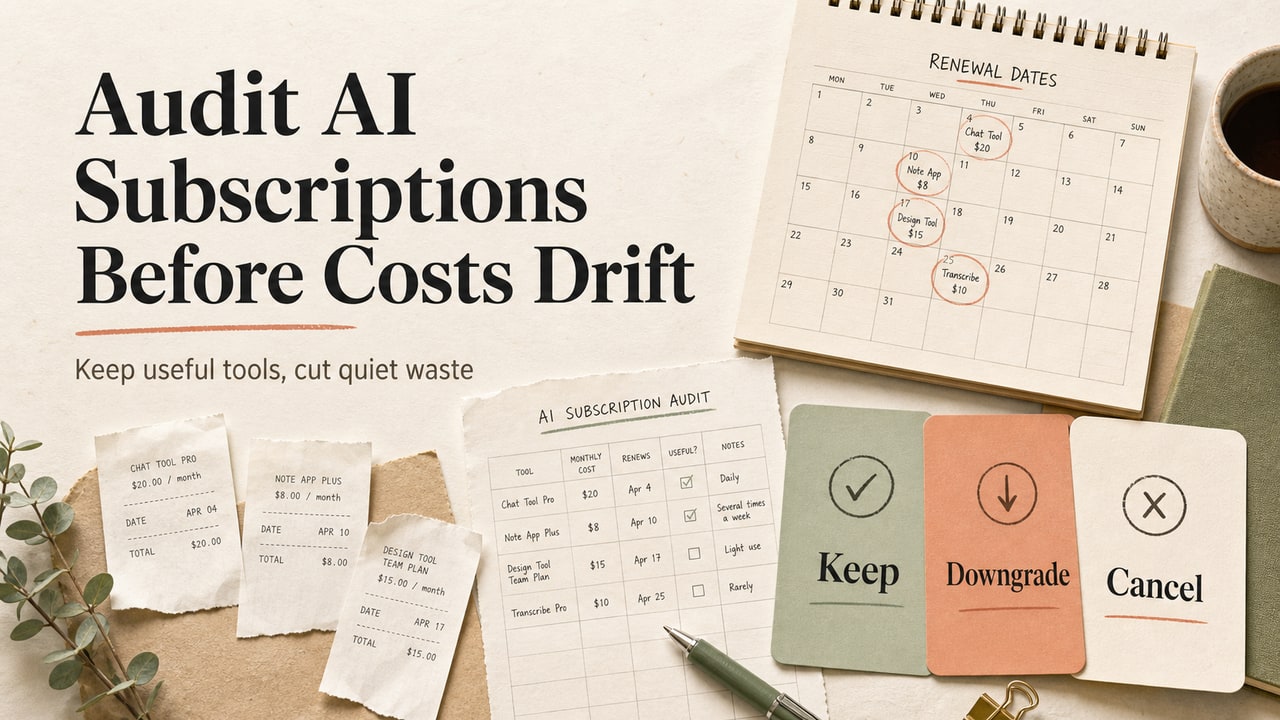
👉 Make this part of a broader spend habit: bookmark this routine, run the six-step checklist at the start of each session, and pair it with our AI subscription audit workflow so your agent usage and your recurring AI bills get reviewed together.
Related Guides
- The AI subscription audit workflow — find and cut the AI spend you forgot you had.
- Keeping an AI coding agent from deleting your files — the safety guardrails that pair with cost control.
- The 5 problems of running AI coding agents locally — the hub guide with a full maintenance routine.
- More AI Automation guides — the rest of our agent-operations playbooks.