Lingye
The hard part of using AI as a product manager is not finding a clever prompt. It is deciding which assistant should touch which artifact before a stakeholder, engineer, or customer sees it. A rough PRD, a backlog clean-up, a customer-call summary, and an executive update all fail in different ways when the tool is chosen only by hype.
Quick Answer
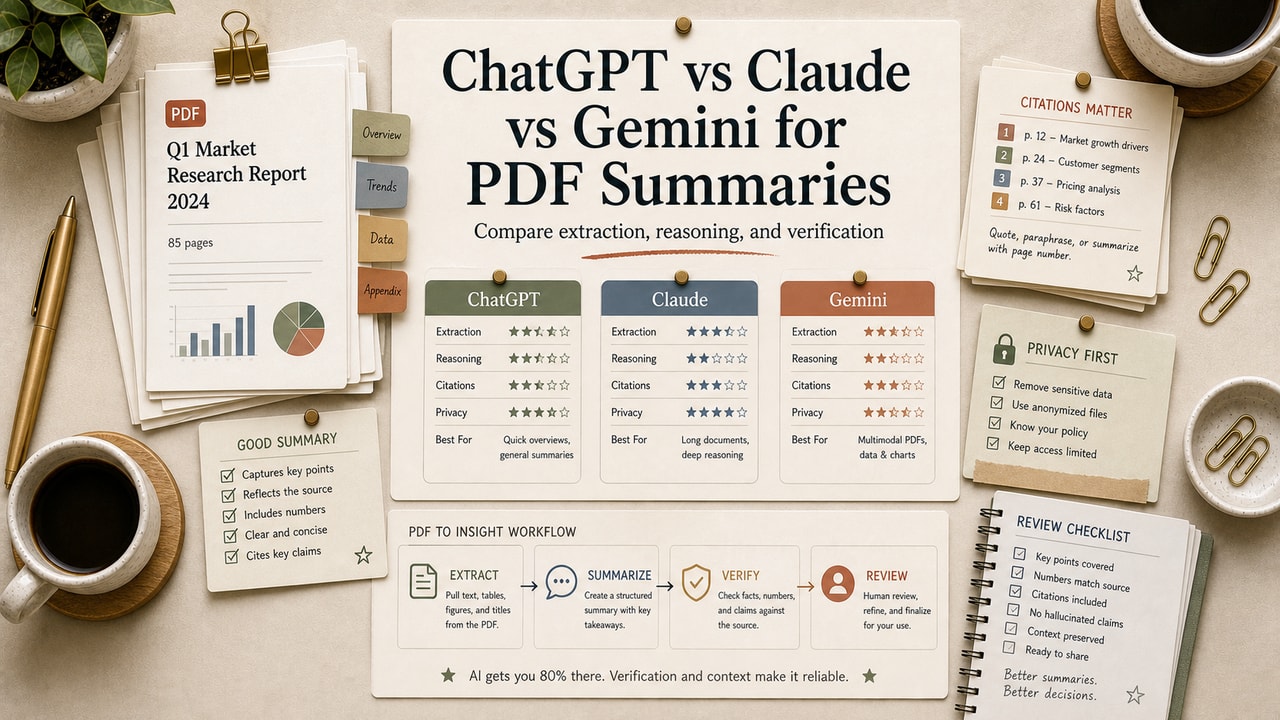
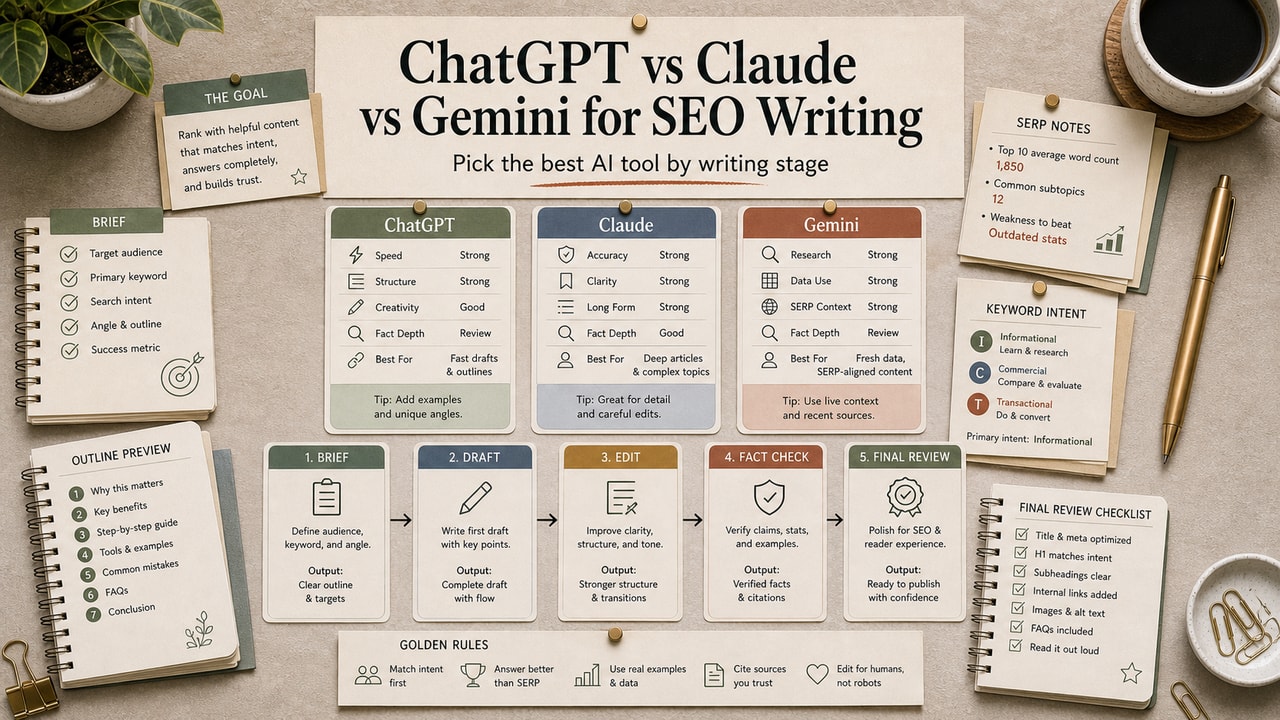
ChatGPT vs Claude vs Gemini for product managers is a workflow decision, not a universal model ranking. Use the OpenAI assistant first when you need fast PRD drafts, structured tables, spreadsheet-style cleanup, tasks, and reusable project context. Use the Anthropic assistant first when your PM work starts with long messy notes, research dumps, product docs, and review artifacts that need careful synthesis. Use the Google assistant first when your product work already lives inside Gmail, Docs, Drive, and reusable Gems. This comparison is for PMs, founders, and small product teams choosing one paid or primary tool. It is not for regulated product decisions where a formal review process must own every requirement. Start with one assistant, then add a second only for a repeated bottleneck.
What This Comparison Is
This is a product-management workflow comparison. It asks which assistant should handle the next PM artifact: a PRD, user story, roadmap note, research synthesis, meeting summary, stakeholder update, or acceptance-criteria review. It does not pretend one tool is best at every task, and it does not use invented benchmark scores.
A useful AI tool comparison for product managers should answer a practical search question: which assistant helps me turn messy product context into a safer decision artifact with less rework? That is why the article compares task fit, human review points, context handling, collaboration surface, and paid-plan value rather than only model personality.
Who This Workflow Is For
- Best for: PMs, founders, product marketers, and small teams that write product docs, user stories, and updates without a dedicated product ops function.
- Also useful for: engineering leads who need clearer tickets before sprint planning and creators building a lightweight product process.
- Not ideal for: medical, financial, legal, safety-critical, or heavily regulated product decisions where AI output must stay behind formal domain review.
Tools You Need
| Tool | Best PM use | Plan note to verify |
|---|---|---|
| ChatGPT plans | Fast PRD drafts, structured tables, tasks, projects, custom GPTs, spreadsheets, and general PM writing. | Official pricing lists Free, Go, Plus, Pro, Business, and Enterprise tiers; compare current usage and workspace needs before buying. |
| Claude plans | Long notes, document-heavy synthesis, artifacts, project organization, and review passes for messy context. | Official pricing lists Pro, Max, Team, and Enterprise options; usage and team-seat needs change the decision. |
| Gemini Gems | Reusable PM helpers when your source material sits in Google Docs, Drive, Gmail, or Workspace habits. | Use the linked Gems help page and Google AI plan pages because availability, storage, and Workspace access vary by account and region. |
| Atlassian user story guide | Reference format for story writing, acceptance criteria, and backlog conversations. | Use it as a format check, not as evidence that an AI-generated story is ready. |
Workflow Summary
The cleanest product-manager setup is a primary assistant plus a review habit. A PM should not copy every meeting transcript into every tool. Pick the assistant that best matches the next artifact, limit the context to what the decision needs, and keep the human owner responsible for tradeoffs.
| PM job | Best first choice | Why | Human review checkpoint |
|---|---|---|---|
| Draft a first PRD from a six-line brief | OpenAI assistant | Fast structure, tables, and concise rewrite loops. | Check assumptions, scope, non-goals, and missing constraints. |
| Synthesize a long research packet | Anthropic assistant | Strong fit for long-form context and standalone artifact review. | Verify source labels, quotes, and any implied customer evidence. |
| Turn Google Docs notes into a reusable helper | Google assistant | Gems can be instructed with persona, task, context, and format. | Confirm the Gem asks clarifying questions instead of inventing product facts. |
| Clean backlog items before sprint planning | OpenAI or Anthropic assistant | Choose speed for small batches, long-context review for messy batches. | Run an INVEST and acceptance-criteria pass before Jira entry. |
| Write stakeholder updates | OpenAI or Google assistant | Choose the one closest to your writing and email workflow. | Remove unsupported certainty, dates, and commitments. |
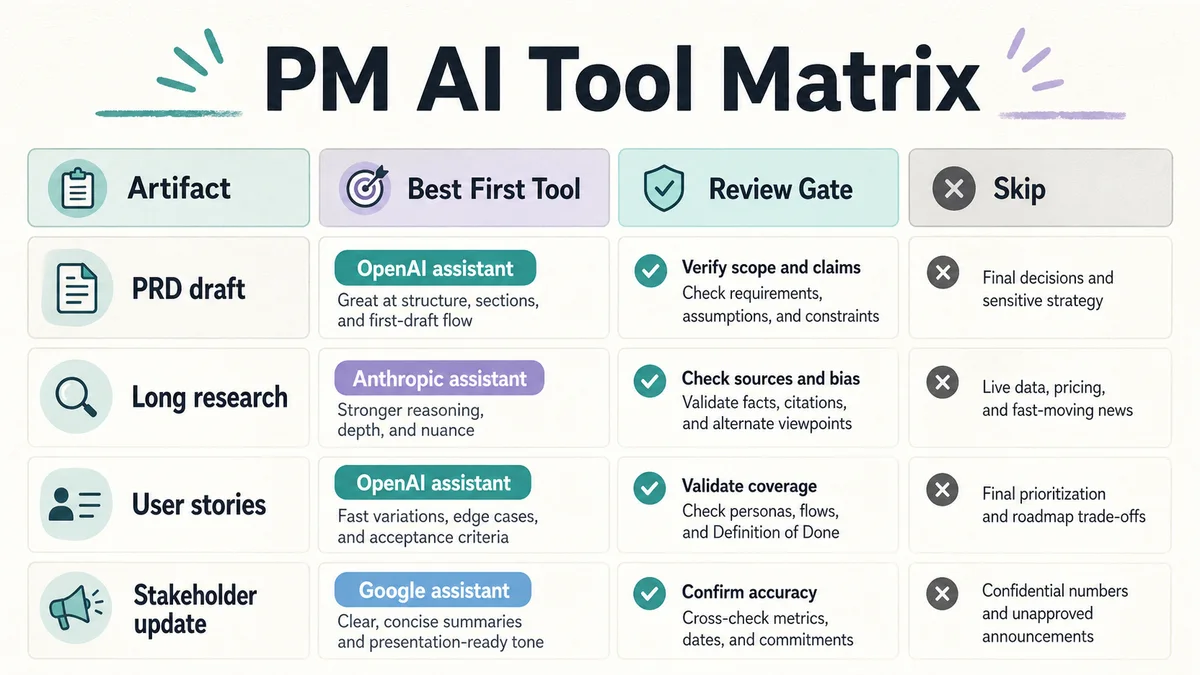
Product Manager Decision Matrix
If you can only pay for one assistant, choose by the artifact that creates the most rework in your week. A PM who mostly drafts stakeholder updates needs a different setup from a PM who spends Friday afternoon untangling customer interviews and backlog duplicates.
| Your repeated bottleneck | Choose first | Skip for now | Reason |
|---|---|---|---|
| Blank-page PRD writing | OpenAI assistant | Three-tool stack | You need speed, structure, and a reusable brief more than extra opinions. |
| Messy research notes and long product docs | Anthropic assistant | Short-prompt-only workflow | The value is synthesis and artifact review, not faster slogans. |
| Workspace-native docs, Drive files, and reusable team prompts | Google assistant | Separate note-copying process | Keeping context near Docs and Drive can reduce manual transfer work. |
| Acceptance criteria and user stories | OpenAI assistant plus Atlassian format check | Auto-generated backlog dump | Small batches beat a giant unreviewed ticket set. |
| Executive update from mixed notes | Anthropic or Google assistant | Raw transcript summary | The output needs judgment, risk framing, and a clear ask. |
Step-by-Step Workflow
- Name the artifact first. Decide whether you need a PRD, story set, release note, research summary, roadmap option, or stakeholder update.
- Give only the context that artifact needs. A user-story pass needs persona, goal, constraints, and acceptance criteria. It does not need every meeting note.
- Pick the assistant by friction. Use speed for first drafts, long-context review for messy research, and Workspace fit for Google-native teams.
- Ask for assumptions separately. The most useful PM output is often the list of assumptions, not the polished paragraph.
- Run a review matrix. Check user value, scope, non-goals, edge cases, open questions, source evidence, and next owner.
- Move only reviewed output into the product system. The AI draft is not the Jira ticket, roadmap commitment, or executive decision by itself.
Copy-and-Paste Prompt
You are helping a product manager prepare one product artifact.

Artifact needed: [PRD / user stories / roadmap option / research summary / stakeholder update]
Audience: [engineering / design / leadership / customer-facing team]
Source context:
- Goal:
- User problem:
- Constraints:
- Non-goals:
- Evidence:
- Open questions:

Return:
1. A draft artifact in the right format.
2. Assumptions you made.
3. Missing information the PM must answer.
4. Risks if this draft is used too early.
5. A short review checklist before it enters Jira, Docs, or a roadmap.

Do not invent customer quotes, metrics, dates, pricing, or commitments.
Example Input
Artifact needed: user stories. Audience: engineering. Goal: let workspace admins export a member activity report. User problem: admins need an audit-friendly way to review suspicious access. Constraints: CSV first, no new dashboard this sprint. Non-goal: automated anomaly detection. Evidence: three support tickets ask for exportable activity rows. Open questions: retention window and role permissions.
Example Output
Story: As a workspace admin, I want to export member activity rows as a CSV so I can review suspicious access outside the app. Acceptance criteria: admins can choose a date range, exported rows include member, action, timestamp, and workspace, non-admins cannot access the export, and empty ranges return a clear empty-state message. Assumptions: retention window and timezone rules still need product approval.
Editorial Workflow Notes
- Input type: A six-line product brief with goal, user problem, constraints, non-goals, evidence, and open questions.
- Editorial basis: A transparent PM planning scenario, current official feature documentation, and a conservative review checklist; this article does not claim a controlled benchmark test.
- Best result: Asking for assumptions and missing information produced more useful PM review notes than asking for a polished PRD first.
- What failed: A broad "write the PRD" prompt blurred non-goals, quietly invented priority, and made weak requirements sound finished.
- Manual edits still needed: Product owner review for scope, engineering review for feasibility, and source checks for any customer or metric claim.
Editorial Review Pitfalls
The failure pattern is familiar: a draft looks organized, so the team stops asking whether it is true. Product managers should treat clean formatting as a risk signal when the source context is thin. If the assistant turns an open question into a confident feature statement, delete the statement and keep the question.
Another pitfall is paying for a second tool before fixing the brief. If the input does not name the user, trigger, constraint, and non-goal, switching assistants usually produces a different style of weak output. The cheaper repair is a better six-line brief.
Common Mistakes
- Comparing AI tools by personality instead of by PM artifact.
- Sending full transcripts when the task only needs decisions and open questions.
- Letting an assistant invent customer evidence, dates, launch promises, or success metrics.
- Buying multiple paid plans before one repeated bottleneck is clear.
- Moving AI-drafted stories into Jira without an acceptance-criteria and edge-case review.
Tool Alternatives
| Alternative | Best for | Tradeoff |
|---|---|---|
| Jira Product Discovery or Confluence | Roadmap inputs, product docs, and team review | Better system of record, but not a substitute for PM judgment. |
| Workspace docs or Linear docs | Lightweight product specs and issue handoff | Easy to organize, but AI drafts still need source checks. |
| Manual template only | Small teams with sensitive product context | Slower, but safer when data cannot leave approved tools. |
FAQ
Which AI tool is best for product managers?
The best AI tool for product managers is the one that reduces your repeated artifact bottleneck. Pick the OpenAI assistant for fast structured drafts, the Anthropic assistant for long messy notes and review artifacts, and the Google assistant for Workspace-heavy teams. The safer answer is to choose one primary tool first, then add another only when a specific PM task keeps failing.
Should product managers use AI to write PRDs?
Yes, but AI should draft structure, assumptions, missing questions, and review checklists rather than own the product decision. A PM still needs to verify user evidence, scope, non-goals, dependencies, and launch commitments. Use AI to remove blank-page friction; do not let it turn incomplete context into a finished requirement.
Is Claude better than ChatGPT for long product documents?
It can be a better first choice when the task is long-note synthesis or artifact review, especially if the output needs to stay self-contained and editable. That still does not turn it into the best daily tool for every PM. If your work is short PRD drafts, tables, and quick updates, the OpenAI assistant may still be the simpler default.
Is Gemini useful for product managers?
Google's assistant is most useful when product work already sits near Google Docs, Drive, Gmail, or custom Gems. The advantage is workflow location, not magic PM reasoning. If your team keeps specs and stakeholder updates in Google tools, a well-instructed Gem can reduce repeated prompt setup. If your team does not use that workspace, the benefit may be smaller.
Should I pay for all three AI tools?
Not at the start. Pay for one assistant that matches your highest-friction PM artifact, then keep a small test list for cases where another tool might help. Paying for all three is worth considering only when separate workflows justify it: long document review, fast structured drafting, and Workspace-native collaboration. Otherwise, improve the brief before buying more seats.
Final Recommendation
Start with one primary assistant and one review matrix. If you mostly draft PRDs, user stories, and updates, choose the OpenAI assistant first. If your week is full of long research notes and product docs, choose the Anthropic assistant first. If your team works inside Google Docs, Drive, and Gmail, choose the Google assistant first. Skip the three-tool stack until a repeated bottleneck proves the second subscription will save real review time.
Next step: run one six-line product brief through the prompt above, then score the output against scope, assumptions, evidence, edge cases, and owner. The assistant that produces the clearest review checklist is the one to keep for the next month.