Lingye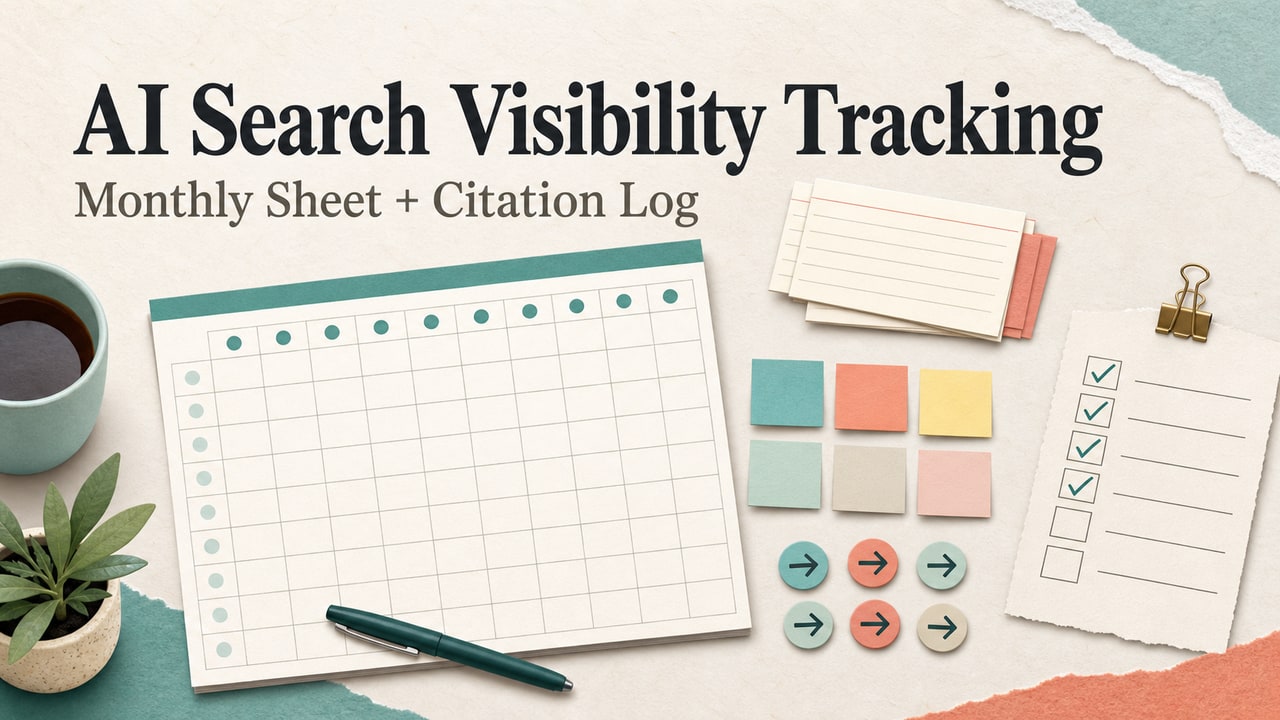
Quick answer: AI search visibility tracking is not one magic dashboard. Start with the questions real readers type into Google, check whether AI answers cite your page, record co-mentions and missing source gaps, then connect that monthly log with Search Console and analytics referral signals. If you are waiting for a separate Search Console AI report before you measure anything, you will miss the work you can do now.
The confusing part is that AI search visibility feels visible and invisible at the same time. A blogger can lose clicks to zero-click answers, see impressions move in Search Console, hear that AI answers mention competitors, and still have no single report that says, "your page was used here." That gap creates bad decisions: publishing more thin posts, chasing every new tool, or rewriting pages without knowing whether the problem is search intent, citation quality, crawl access, or measurement.
The workflow below is built for solo bloggers, niche site owners, and small content teams that need a practical monthly signal. It uses the tools most sites already have: Search Console Performance reports, analytics traffic-source views, manual citation checks, and a simple sheet. It also keeps the promise modest. You are not proving every AI answer on the web. You are building enough evidence to decide what to repair next.
What AI Search Visibility Tracking Can and Cannot Measure
Google's current Search Central guidance says AI features such as AI Overviews and AI Mode are part of Google Search, and that site appearances in those AI features are included in the overall Search Console Performance report under the Web search type. That matters because it means you should not wait for a separate universal AI-only report to begin tracking. Your first signal is still the ordinary query and page data you already review.
At the same time, Search Console query rows do not tell you which AI answer cited your page, which answer only used your brand as context, or which competitor became the visible source. A monthly tracking sheet fills that missing layer. It does not replace Search Console; it adds the observation fields Search Console does not expose.
| Question readers type | Measurement signal | What it can tell you | What it cannot prove |
|---|---|---|---|
| Does Search Console show AI Overview clicks? | Performance report, Web search type | Query, page, click, impression, CTR, and position movement | Which exact generated answer included your page |
| How do I track AI citations? | Manual clean-session citation checks | Whether your URL is cited for selected prompts this month | Total market coverage across every user and locale |
| Is my brand mentioned in AI answers? | Co-mention log | Whether your brand appears near the topic, competitors, or source types | Whether the mention caused a visit or conversion |
| Which page should I repair first? | Source-gap matrix | Whether the page lacks evidence, definitions, comparisons, or next steps | A guaranteed ranking or citation lift |
The editorial rule I use is simple: do not call something a visibility win unless it changes a decision. A mention without a citation may still be useful if it shows topic association. A citation without referral sessions may still be useful if it points to a better source format. But neither should trigger a full rewrite unless the log explains the next action.
Build the Monthly AI Search Visibility Tracking Sheet
Your sheet should be small enough to update every month. If it takes a full day to maintain, it will become another abandoned SEO file. Start with ten to twenty priority URLs, not your entire archive. Choose pages that already have search impressions, commercial or newsletter value, or a clear role in your AI SEO funnel.
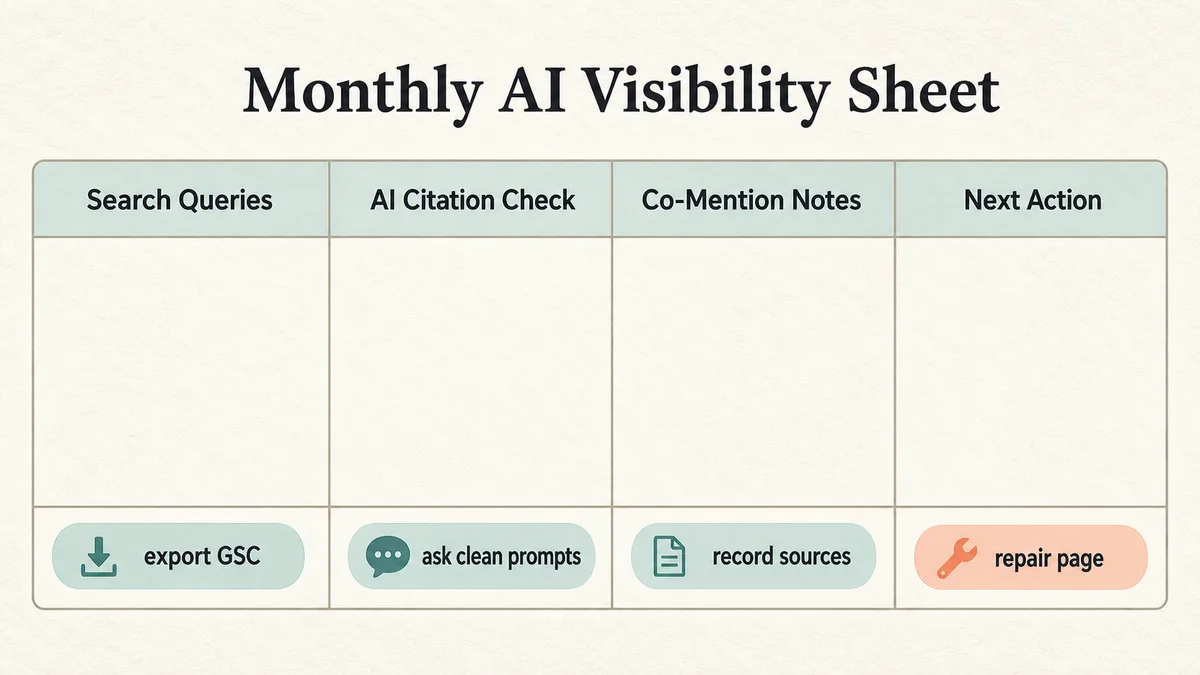
Use these columns first:
| Column | Why it exists | Example value |
|---|---|---|
| Month | Keeps checks comparable over time | 2026-06 |
| Priority page | Locks the row to one URL | /posts/google-ai-mode-seo-workflow |
| Search Console query group | Starts from reader demand, not a tool idea | how to track ai overview traffic |
| GSC signal | Shows click, impression, CTR, and position direction | Impressions up, clicks flat |
| AI citation check | Records whether the page was cited in selected assistant answers | Not cited in 3 clean prompts |
| Co-mentions | Shows topic association even without a direct link | Brand not mentioned; two competitor types mentioned |
| Source gap | Names the missing evidence that could block citation | No concise definition or step table |
| Referral signal | Separates assistant referral sessions when analytics can identify them | Small referral row, no trend yet |
| Next action | Turns observation into an editorial task | Add source log and FAQ; recheck next month |
For a MyLing-style workflow site, the best first pages are usually not broad opinion pieces. Pick pages with checklists, templates, source logs, comparison tables, or step-by-step workflows. If the page cannot be summarized, cited, or used as evidence by a reader, it is unlikely to become a strong AI citation target either. The older AI Overview citation workflow and Google AI Mode SEO workflow are useful internal examples of pages that can be checked with this sheet.
Pull Search Console Queries Before You Ask Assistants
The most common tracking mistake is starting with a clever AI prompt instead of a real search query. Search Console already tells you which queries users typed, which pages appeared, and where clicks are weakening. Export those query and page rows first. Then group them into intent routes:
- Symptom queries: "Search Console AI report missing," "AI Overview traffic drop," "why are impressions up but clicks down."
- Measurement queries: "how to track AI citations," "AI search visibility tracking sheet," "AI referral traffic analytics."
- Risk queries: "can AI answers use my content without clicks," "how to know if AI search mentions my brand."
- Decision queries: "should I buy an AI visibility tool," "manual AI citation tracking vs SEO software."
- Next-step queries: "what to update when AI answers do not cite my site," "how to improve AI Overview citation readiness."
Those query groups become your prompt set. Do not ask ten random assistants ten vague questions. Ask the same reader-shaped questions every month, in a clean session, and record the answer pattern. You are looking for movement, not a perfect rank tracker.
Use this prompt template for a clean manual check:
Reader question:
[paste one Search Console query or natural-language version]

Context:
I am comparing useful source pages for a blogger or small business owner.

Please answer the question and list the web sources you would rely on.
If you mention brands, tools, or websites, separate direct citations from general mentions.
After each check, record three things: which URLs are cited, which brands are mentioned without links, and which source type keeps appearing. If every answer cites official documentation, your blog may need a clearer explainer or decision table. If every answer cites comparison pages, your workflow may need stronger pros and cons. If the answer cites older forum posts, your article may need fresher examples and source-backed definitions.
Track AI Citations, Co-Mentions, and Source Gaps
A citation is stronger than a co-mention, but a co-mention is not worthless. It can reveal that your entity is connected to the topic in generated answers even when your URL is not the visible source. Keep those fields separate so the sheet does not exaggerate progress.
| Observation | How to log it | Likely next action |
|---|---|---|
| Your URL is cited | URL, prompt, date, answer summary | Protect the page, refresh facts, add internal paths to related guides |
| Your brand is mentioned but not cited | Brand/entity mention and surrounding topic | Add a source-backed page that answers the exact query more directly |
| A competitor is cited repeatedly | Competitor URL and content format | Compare source depth, definitions, tables, and freshness without copying angle |
| Official docs dominate the answer | Official source type and missing reader need | Create a practical workflow layer that helps readers use the official guidance |
| No useful source is cited | Prompt and answer weakness | Wait, test a different query route, or publish a stronger original artifact |
Here is a transparent scenario row you can copy. It is not a traffic claim; it is the kind of editorial log entry that keeps the work honest:
| Field | Scenario entry |
|---|---|
| Query group | search console ai report |
| GSC signal | Page impressions rising, CTR weaker than the previous month |
| AI citation check | No direct citation in three clean prompts; official Google docs cited twice |
| Co-mention | Brand not mentioned; topic associated with SEO dashboards and analytics setup |
| Source gap | Article lacks a concise monthly sheet and clear explanation of current Search Console limits |
| Next action | Add measurement table, FAQ about separate AI reports, and one internal link to the AI Mode workflow |
This is where manual tracking beats a vanity dashboard. The row tells you exactly why the page was not cited and what to improve. It also prevents overreacting to one answer. A single missed citation is a note. A repeated source gap across the same query group is an editorial task.
Use Analytics to Separate AI Assistant Referrals
Search Console is the starting point, but analytics can catch referral behavior that does not look like ordinary Google organic traffic. Google Analytics documentation now includes an AI assistants channel example for custom channel groups, and the default channel group documentation describes an AI Assistant channel when matching referrer rules are available. Use that as a monitoring layer, not as the whole measurement strategy.
A simple setup is enough for most bloggers:
- Create or review a custom channel group for AI assistant referral sources in analytics.
- Keep ordinary Google organic search separate from assistant referral sessions.
- Review landing pages, engagement, and conversions monthly.
- Compare those sessions with the citation and co-mention rows in your sheet.
- Do not label a page successful unless the signal creates a content, product, email, or internal-link decision.
Privacy and consent rules still matter. Do not scrape private answers, store personal user prompts, or claim that a small referral row proves broad market visibility. The goal is trend awareness and better editorial choices. For source-backed article planning, pair this with an AI search intent analysis workflow so the questions in your sheet match what readers actually need.
Decision Rules: Repair, Publish, or Wait
Once the sheet has a month of rows, do not rewrite everything. Use decision rules:
| Pattern | Decision | Repair |
|---|---|---|
| Impressions up, clicks down, no AI citation | Repair the page | Add a direct answer, source log, comparison table, and stronger internal links |
| Official docs always cited, your page absent | Publish practical layer | Build a workflow that interprets the official guidance for a specific reader |
| Your brand mentioned, no URL cited | Strengthen entity page | Add about/context pages, author notes, and a concise definition section |
| Competitor cited for a feature comparison | Improve comparison intent | Add criteria, use cases, source-backed limitations, and next-step guidance |
| No stable pattern after one month | Wait | Recheck next month instead of forcing a rewrite |
The strongest repair is usually a better artifact, not another paragraph of generic advice. Add a checklist, a before/after example, a source table, or a decision matrix. That gives readers something to use and gives AI systems cleaner evidence to summarize. The AI SEO checklist is a useful internal model for turning a broad topic into a practical control sheet.
Source Log for the Claims in This Workflow
For current Google measurement claims, use official sources first. Google's Search Central page on AI features and your website explains that normal SEO fundamentals still apply, that pages need to be indexed and snippet-eligible, and that AI feature traffic is included in Search Console Performance reporting. The Search Console help page explains the normal Performance report metrics and query/page dimensions. Google's Analytics help pages explain custom channel groups and the AI Assistant channel logic.
For market context, treat research as a signal, not a rule. A 2026 arXiv measurement paper on Google AI Overviews activation, source quality, and claim fidelity is useful because it shows why citation tracking and source quality should be logged separately. It should not be used to promise traffic, rankings, or ad revenue.
FAQ
Does Search Console have a separate AI report?
Do not build your workflow around waiting for a separate universal AI report. Google's current Search Central guidance says appearances in AI features such as AI Overviews and AI Mode are included in overall Search Console Performance reporting under the Web search type. Track query and page movement there, then add your own citation and co-mention columns.
How do I track AI citations without a paid tool?
Use a clean monthly prompt set based on Search Console query groups. Ask the same reader-shaped questions, record cited URLs, log co-mentions separately, and note the missing source format. This is slower than a paid dashboard, but it teaches you which pages need better evidence.
Should I use an AI visibility tool?
Use one only after you know what decision you need from it. If your sheet already shows which pages need repair, a paid tool may be unnecessary. If you manage many sites or need broader prompt coverage, evaluate tools against exact features such as source export, prompt history, citation URLs, market coverage, and data retention.
What should I do if AI answers mention my brand but do not cite my site?
Do not treat that as a full win or a failure. Add it to the co-mention column, check which source types are cited instead, and create a more citable page if the query matters. The repair is often a concise definition, source-backed checklist, comparison table, or workflow example.
How often should I run AI search visibility tracking?
Monthly is enough for most blogs. Weekly checks create noise unless you are running a launch, a migration, or a high-value content update. Keep the cadence stable so trend comparisons mean something.
Can this help with AI Overview traffic drops?
Yes, but it will not prove every cause. Use Search Console to find query and page changes, then use manual citation checks to see whether generated answers cite official docs, competitors, forums, or no useful sources. That pattern tells you whether to repair the page, create a better workflow artifact, or wait for more data.
Final Takeaway
AI search visibility tracking should feel like editorial accounting, not a new obsession. Start with reader queries, record citation and co-mention evidence, connect that to analytics referral signals, and choose one next action per page. The monthly sheet is valuable because it keeps you from confusing noise with strategy. If you can explain why a page should be repaired, protected, or ignored, the tracking is already doing its job.