Lingye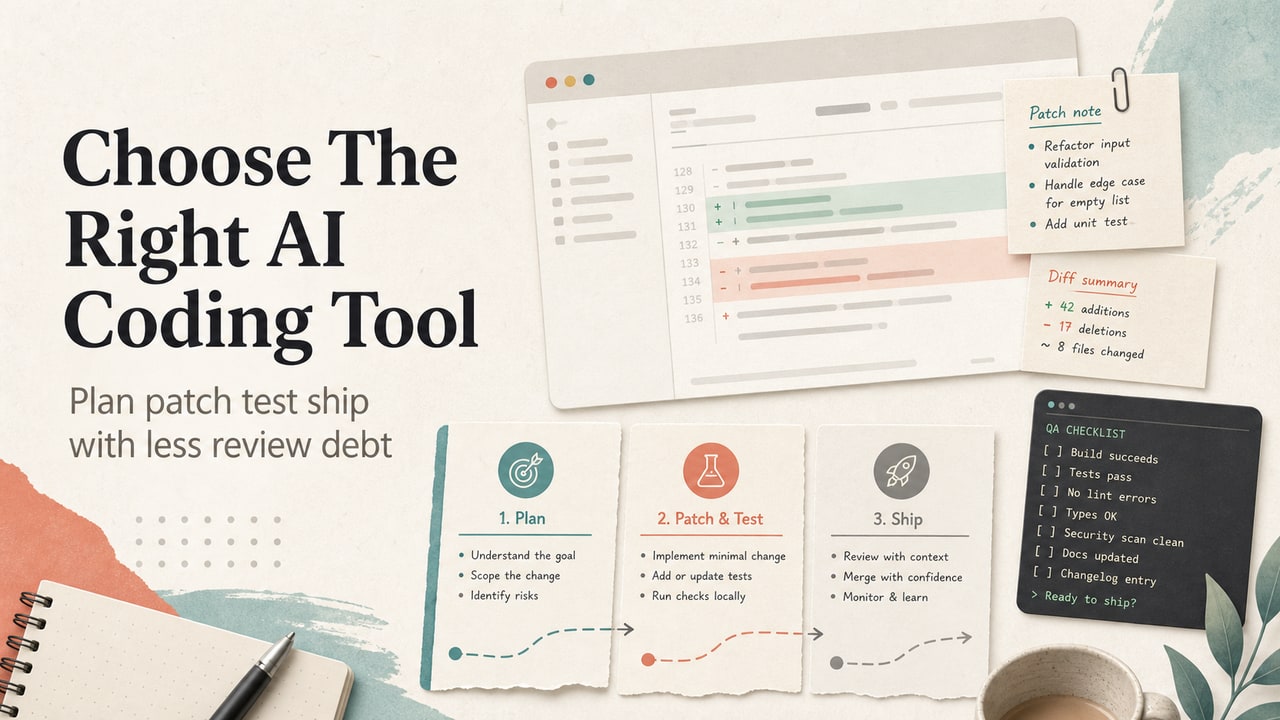
If your search was "ChatGPT vs Claude vs Gemini for coding," the useful answer is not a trophy list. It is a way to decide which assistant belongs at which point in a small web app workflow. Picture a product builder with a Vite prototype, a mobile layout bug, one failing test, and a deploy note from yesterday. The next move is not to ask three tools the same vague prompt. The next move is to route planning, patching, testing, and handoff to the assistant pattern that can handle that job with the least review debt.
Quick Answer
For simple web apps, choose the OpenAI option when you need a broad planning partner and code-review helper, the Anthropic option when you want repository-aware edits with careful diff review, and the Google option when your work already sits inside Google Cloud, Firebase, Android Studio, or a supported IDE. The best choice is not the model with the loudest demo. It is the assistant that fits the next coding task: outline, patch, test, or ship. Use a small decision matrix before paying for another plan. Score each option on project context, file-edit control, test discipline, deployment awareness, privacy needs, and the way your team reviews changes. If you only need one-off snippets, a chat assistant may be enough. If you need repeated edits across files, pick an agentic coding workflow with human review.
What This Workflow Is
This is a comparison workflow for people who build small sites, SaaS screens, admin tools, or landing-page prototypes and need help choosing an AI coding assistant. It does not pretend to benchmark every model on a hidden test set. Instead, it turns official product claims and a realistic web-app handoff into a decision path you can reuse before a paid plan renews.
The article compares three assistant patterns: a broad OpenAI assistant for planning and code review, an Anthropic coding tool for repo-aware edits and command-line work, and a Google code assistant for IDE plus Google Cloud workflows. Official pages describe different strengths, so the workflow scores the job rather than the brand.
Who This Workflow Is For
Use it if you are a founder, product manager, creator, or solo developer who can read code but does not want another subscription based on vibes. It is useful when the project is small enough for one person to review, yet real enough to have files, tests, routes, CSS, and deploy steps.
Skip it if you need regulated enterprise procurement, full security review, or a deep model benchmark. In those cases, treat this as the first screening sheet, then involve engineering, legal, and security owners before any rollout.
Tools You Need
- A current project folder or issue description with the failing screen, route, or test named.
- One official feature page for each candidate: OpenAI's assistant, Anthropic's coding tool, and Google's code assistant.
- A review checklist with these columns: task, files touched, command run, output checked, risk, owner, next step.
- Three internal references for context: the product-manager comparison, the Jira ticket workflow, and the PRD workflow.
Workflow Summary
| Job | Best assistant pattern | Review risk | Decision cue |
|---|---|---|---|
| Plan a feature | Broad chat plus source notes | Low | Use when you need routes, states, and acceptance criteria. |
| Patch several files | Repo-aware coding agent | Medium | Use when the assistant must inspect local files and propose diffs. |
| Work inside Google stack | IDE and cloud-aware assistant | Medium | Use when Firebase, Android Studio, Cloud Run, or Google Cloud context matters. |
| Ship changes | Any option plus human QA | High | Use only after tests, visual checks, and rollback notes exist. |
Step-by-Step Workflow
- Name the next coding job. Do not ask for "a web app." Write one task: fix the mobile card overflow, add a settings route, review a pull request, or prepare deploy notes.
- Choose the context level. If the assistant only needs a brief, use chat. If it must inspect files, use a repo-aware tool. If it needs Google Cloud or Firebase context, use the Google path.
- Force a patch plan before code. Ask for files to inspect, expected changes, commands to run, and rollback risk before accepting edits.
- Run a tiny QA loop. For every accepted change, require one command, one visual check, and one note about what was not verified.
- Record the handoff. Keep the prompt, changed files, test output, and next owner in a short source log so a human can review the result later.
Copy-and-Paste Prompt
You are helping me choose an AI coding assistant for one simple web app task.

Project type:
Task:
Files or screens involved:
Current error or risk:
Commands I can run:
Deploy target:
Review owner:

Compare three assistant patterns:
1. broad chat planning and review
2. repo-aware coding edits
3. IDE/cloud-aware coding help

Return:
- which pattern fits this task
- why the other two are weaker for this task
- patch plan before code
- tests or checks to run
- review risks
- stop condition if the assistant is guessing
Example Input
Project type: small React marketing site with a signup form. Task: fix a mobile hero overflow and prepare a review checklist. Files involved: landing page, CSS file, form component. Current risk: visual layout changes may hide the CTA on iPhone width. Commands available: type check and production build. Deploy target: static hosting preview. Review owner: founder who can inspect screenshots but not rewrite the layout system.
Example Output
The best pattern is repo-aware coding edits because the bug depends on actual CSS and component structure. A broad chat answer may describe common fixes without seeing the cascade. A cloud-aware assistant adds little unless the deploy target has a platform error. The assistant should first inspect the hero component and CSS, propose one constrained layout patch, run type check and build, then ask the reviewer to inspect desktop and mobile screenshots. Stop if the assistant proposes a full redesign, touches unrelated components, or cannot explain which selector caused the overflow.
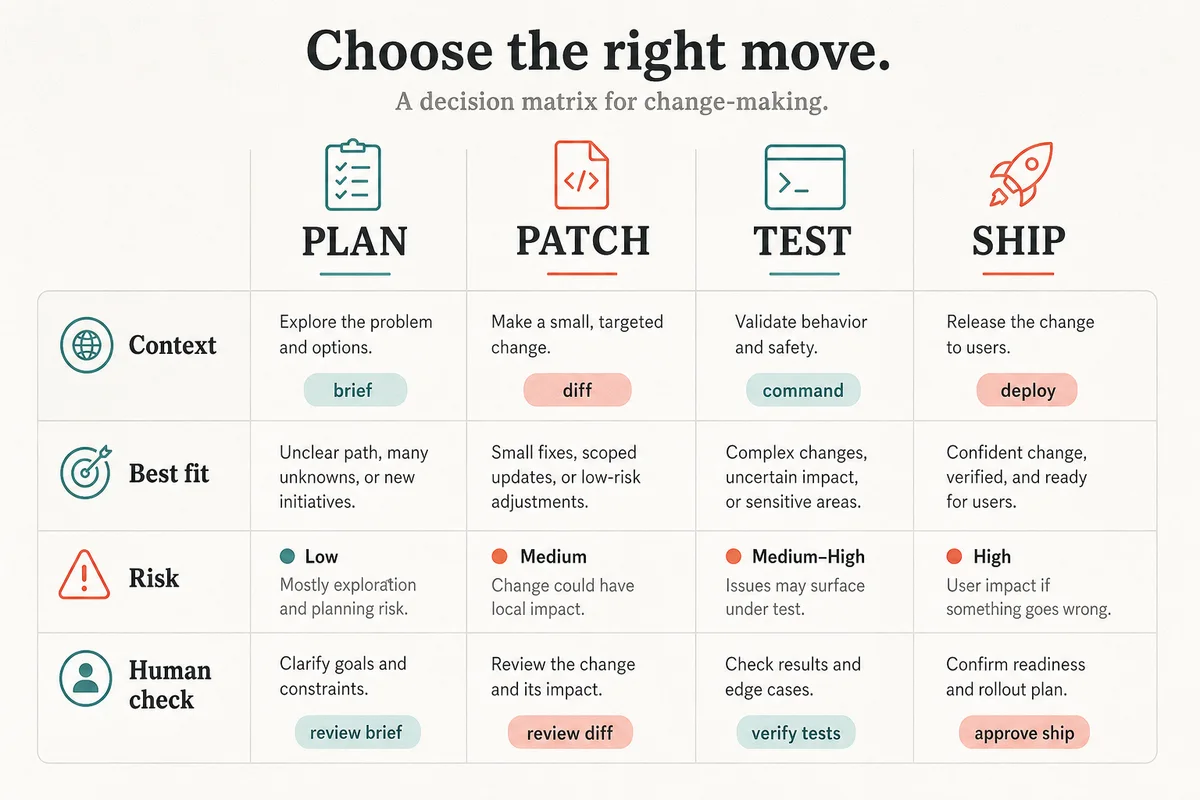
Coding Assistant Decision Matrix
| Decision lane | Use this when | Avoid this when | Human check |
|---|---|---|---|
| Plan | The task needs routes, acceptance criteria, or a prompt chain. | You already know the file-level patch. | Does the plan name concrete files and risks? |
| Patch | The assistant must edit multiple files and explain diffs. | The project has secrets or unclear ownership. | Can you review every changed file? |
| Test | You need command output, failure diagnosis, or a QA checklist. | The assistant cannot run or interpret your stack. | Did it separate verified output from guesses? |
| Ship | You have a passing build and rollback note. | The change affects payment, auth, or legal content. | Is there a public-page or API check after deploy? |
Tested Workflow Notes
This section is an editorial scenario, not a claimed lab benchmark. The strongest pattern in the scenario is task routing. A chat assistant can turn vague product intent into a clearer patch brief. A repo-aware agent can reduce copy-paste friction when the fix spans CSS, components, and tests. A Google-oriented assistant earns its seat when the project already depends on Firebase, Android Studio, Cloud Run, or Google Cloud services.
The weak pattern is asking every assistant to "build the app" and choosing the prettiest answer. That creates review debt. A better screen is whether the assistant asks for missing context, scopes the change, names commands, and leaves a reviewer with a clean stop condition.
Pitfalls We've Actually Hit
- Prompt drift: the assistant starts from a layout bug and returns a new design system.
- Hidden test debt: a patch looks plausible but no command output is attached.
- Context mismatch: cloud-specific advice appears in a local-only issue.
- Review overload: too many files change for a non-engineer to inspect.
- Plan shopping: the team compares brand names instead of choosing the next task lane.
Common Mistakes
The first mistake is paying for three assistants before the workflow is defined. The second is treating code generation as the finish line. For simple web apps, the useful finish line is a reviewed change with a known risk, not a longer answer. The third mistake is ignoring plan fit: one-off snippet help, repeated repo edits, and cloud-integrated coding are different jobs.
A smaller mistake is using comparison articles as procurement evidence. Official product pages and current pricing pages can change. Use them to shortlist tools, then record the exact plan, region, usage limit, and account type before payment.
Tool Alternatives
Other coding assistants can fit the same matrix: editor-native subscriptions, code-review copilots, browser coding workspaces, and hosted dev environments may be better when your team already works there. The decision is still the same: match the assistant to the next job, not to the biggest feature list. If your team works mostly in issues and specs, start with a planning assistant. If your team works in a repo every day, choose a diff-first workflow. If your team is deep in Google Cloud, read Google's business edition page before judging the fit.
FAQ
Which AI assistant is best for coding a simple web app?
The best choice depends on the next job. Use a chat-style assistant for planning, a repo-aware assistant for multi-file edits, and an IDE or cloud-aware assistant when the project depends on that environment.
Should a non-engineer use an AI coding assistant?
Yes, for planning, small changes, QA checklists, and handoff notes. Avoid unsupervised edits to authentication, payments, personal data, or production infrastructure unless an engineer reviews the result.
How do I compare AI coding tools before paying?
Pick one real task, write the prompt above, and score each assistant on context access, patch control, test output, review clarity, and plan fit. Do not compare only sample answers.
What is the safest workflow for AI-generated code?
Require a patch plan first, keep changes small, run available checks, inspect the affected screen, and store the prompt plus test output. Stop when the assistant cannot explain a change.
Can I use one assistant for planning and another for coding?
Yes. Many small teams get better results by using one assistant to clarify the task and another to edit files. The handoff must include files, commands, risks, and acceptance criteria.
Final Recommendation
For a simple web app, start with the task lane, not the brand. If the job is planning, use a broad assistant and ask for a scoped brief. If the job is patching files, use a repo-aware workflow and review every diff. If the job depends on Google Cloud or Firebase, test the Google path against that exact stack. Pay for the assistant that reduces review debt in your real workflow.
Related Workflows
For product-side assistant selection, read the product-manager comparison. For turning the chosen assistant into task-ready work, use the Jira ticket workflow and the PRD workflow. Browse more comparisons in Tool Comparisons.